Cats on Halloween
📦 A delightful collection of cat stickers dressed up for Halloween, perfect for sharing festive and spooky messages. Perfect for sending spooky, fun, and festive messages during Halloween. 'Cats on Halloween' pack mein 14 stickers hain jo install karne mein aasan hain. WhatsApp par install karne ke liye free download.
-
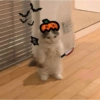
🎃🐱👻
A standing cat wearing a pumpkin hat, surrounded by Halloween decorations. Perfect for Halloween party vibes.
-

🎩🐱🏰
A cat dressed as a wizard with a castle background. Great for sharing magical vibes.
-
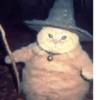
🐱🧙🔮
A magical-looking cat with a witch hat and staff. Great for enchanting Halloween messages.
-
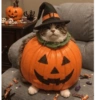
🎃🐱🧙
A cat in a pumpkin costume with a witch hat. Use this for fun, whimsical messages.
-

🎃🐱
A black cat dressed in a pumpkin costume. Ideal for sending Halloween wishes.
-

🐱🦇🎃
A black kitten with red bat wings, fangs, and a red bow tie. For playful, spooky interactions during Halloween.
-

👻😈🐱
A cat dressed as a ghost with devil horns and a trident. For humorous, spooky Halloween greetings.
-

👻🐱🕯️
A cat under a sheet looking like a ghost, with candles and Halloween decor. Great for spooky, humorous messages.
-
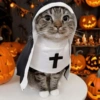
🐱🎃✝️
A cat dressed as a nun surrounded by pumpkins. For sharing in humorous or light-hearted settings.
-
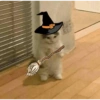
🐱🧙🧹
A cat with a witch hat and broom. Use for magical or whimsical greetings.
-

🐱🧙🚬
A cat dressed as a wizard, holding a pipe with smoke. Share for magical, whimsical conversations.
-
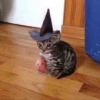
🐱🎃🎩
A small cat wearing a wizard hat, sitting with a pumpkin toy. Sweet and playful for Halloween greetings.
-
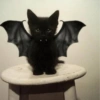
🦇🐱
A black kitten with bat wings, sitting on a stool. Perfect for playful, spooky messages.
-
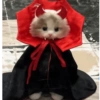
😈🐱🎃
A kitten dressed in a devil costume with horns and cape. Perfect for mischievous Halloween messages.
WhatsApp par download aur install karein
Is sticker pack ko apne WhatsApp par install karne ke liye Sticker Maker app zaroori hai. Agar aapke paas nahi hai, to yahan se download karein: Google Play Store aur App Store. Phone mein app aa jaane ke baad ye steps follow karein:
- Neeche di gayi sticker file download karein (iska extension .wastickers hai). Download hui file ko apne mobile mein dhoondhein aur us par tap karein. Aapka phone poochega ki ise kis app se kholna hai; Sticker Maker chunein. App is file ko automatically naye sticker pack ke roop mein pehchaan lega.
- Jab pack Sticker Maker mein dikh jaye, to "Meri library mein add karein" wala button dabayein, phir "WhatsApp mein add karein", bas ho gaya! Aapke naye stickers aapki saari WhatsApp chats mein use ke liye ready honge.
Sticker.ly se WhatsApp par install karein
Is pack ko add karne ka ek aasan tareeka hai Sticker.ly app. Agar aapke paas abhi tak nahi hai, to yahan se download karein: Google Play Store aur App Store. Phir in do aasan tareekon mein se ek chunein:
- Direct link se: Bas pack ke is link par tap karein: 2NQGV6. Agar aapke paas Sticker.ly install hai, to stickers turant app mein dikh jayenge.
- Pack code se: Chahein to yahan tap karke "pack code" copy karein: aur use Sticker.ly app ke search bar mein paste kar dein.
Sticker.ly mein pahunchne ke baad "WhatsApp mein add karein" par tap karke confirm karein, aur stickers turant aapke WhatsApp app mein bhej diye jayenge.
Telegram par use karein
Telegram users ke liye sticker pack install karna bilkul aasan hai, ye feature app mein hi hai. Bas is link par jaayein, jo aapko Telegram par le jayega: stickerly_2NQGV6_by_stickerly_official_bot. App khulte hi aapko pack dikh jayega aur aap use apni library mein add kar sakte hain, kisi doosre app ki zaroorat nahi.