Cheeky Little Monkeys
📦 Funny monkey photos packed with silly faces, cute poses, and chaotic primate energy for every chat mood. Use when teasing friends, reacting to drama, looking cute, or dropping chaotic monkey energy in the chat. 'Cheeky Little Monkeys' pack mein 16 stickers hain share karne ke liye ready. WhatsApp par install karne ke liye free download.
-

😜 Tongue Out
A monkey sticking its tongue out with a playful teasing face. When you're being cheeky, teasing, or refusing to be serious.
-

🎀 Cute Pink Bow
A fluffy monkey lying down with a pink bow, looking soft and sweet. When you want to look cute, flirty, or extra sweet.
-
😛 Baby Tongue Out
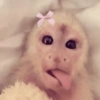
Tiny monkey with a pink bow and tongue out, extra baby energy. For ultra-cute teasing or baby-talk moments.
-

👀 Suspicious Side Eye
Monkey in a towel giving a suspicious sideways glance. When something seems off or you're judging in silence.
-

😒 Smug Pursed Lips
Close-up of a monkey with pursed lips and a smug unimpressed face. When you're unimpressed, skeptical, or holding a comment.
-

😎 Cool Coconut Sip
Monkey in pink sunglasses sipping coconut water like a vacation icon. For chill vibes, vacations, or acting extra cool.
-

😎 Cool Juice Box
Sunglass-wearing monkey casually sipping a juice box. When you're relaxed, hydrated, and slightly too cool.
-

💇 Pink Wig Drama
Monkey in a bright pink wig holding bananas with a dramatic stare. For fabulous, chaotic, or over-the-top moments.
-

😔 Grumpy Pigtails
Monkey in pigtails and colorful clothes looking sad and grumpy. When you're sulking, disappointed, or done with everyone.
-

🌼 Sniffing a Flower
Gentle monkey sniffing a yellow flower with peaceful focus. For calm, romantic, or wholesome moments.
-

😝 Playful Tongue
Wide-eyed monkey sticking its tongue out in a goofy close-up. Playful teasing, silliness, or lighthearted chaos.
-

😱 Wide Open Mouth
Baby monkey screaming with mouth wide open in pure excitement. Shock, hype, big news, or loud reactions.
-

😁 Huge Toothy Grin
Chimpanzee flashing a huge toothy grin full of chaotic joy. When you're thrilled, proud, or smiling way too hard.
-

🤫 Shh Keep Quiet
Monkey with eyes closed and a finger on the lips, asking silence. Secrets, quiet please, or don't tell anyone.
-

🤭 Oops Cover Mouth
Tiny monkey covering its mouth in shock, shyness, or an oops. When you said too much, heard gossip, or feel embarrassed.
-

🙏 Pretty Please
Peaceful monkey with praying hands, asking nicely or giving thanks. Begging, thanking, hoping, or saying please with extra drama.
WhatsApp par download aur install karein
Is sticker pack ko apne WhatsApp par install karne ke liye Sticker Maker app zaroori hai. Agar aapke paas nahi hai, to yahan se download karein: Google Play Store aur App Store. Phone mein app aa jaane ke baad ye steps follow karein:
- Neeche di gayi sticker file download karein (iska extension .wastickers hai). Download hui file ko apne mobile mein dhoondhein aur us par tap karein. Aapka phone poochega ki ise kis app se kholna hai; Sticker Maker chunein. App is file ko automatically naye sticker pack ke roop mein pehchaan lega.
- Jab pack Sticker Maker mein dikh jaye, to "Meri library mein add karein" wala button dabayein, phir "WhatsApp mein add karein", bas ho gaya! Aapke naye stickers aapki saari WhatsApp chats mein use ke liye ready honge.
Sticker.ly se WhatsApp par install karein
Is pack ko add karne ka ek aasan tareeka hai Sticker.ly app. Agar aapke paas abhi tak nahi hai, to yahan se download karein: Google Play Store aur App Store. Phir in do aasan tareekon mein se ek chunein:
- Direct link se: Bas pack ke is link par tap karein: KDJ56H. Agar aapke paas Sticker.ly install hai, to stickers turant app mein dikh jayenge.
- Pack code se: Chahein to yahan tap karke "pack code" copy karein: aur use Sticker.ly app ke search bar mein paste kar dein.
Sticker.ly mein pahunchne ke baad "WhatsApp mein add karein" par tap karke confirm karein, aur stickers turant aapke WhatsApp app mein bhej diye jayenge.
Telegram par use karein
Telegram users ke liye sticker pack install karna bilkul aasan hai, ye feature app mein hi hai. Bas is link par jaayein, jo aapko Telegram par le jayega: stickerly_KDJ56H_by_stickerly_official_bot. App khulte hi aapko pack dikh jayega aur aap use apni library mein add kar sakte hain, kisi doosre app ki zaroorat nahi.