

Cute Kitties
📦 Adorable cats with hilarious faces for every feeling: shock, approval, hugs, burnout, and chill. Use these kitties to react in chat, send love, joke about work, or share a laugh. 'Cute Kitties' pack mein 15 stickers hain jo aapko pasand aayenge. WhatsApp par install karne ke liye free download.
-

😲 Shocked Cat
White cat frozen in shock with wide eyes and open mouth. When news leaves you completely stunned.
-
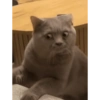
👀 Wide Eyes
Grey cat staring intensely with huge shocked eyes. When you cannot believe what you just saw.
-

👍 Thumbs Up
Orange tabby giving a confident thumbs-up with its paw. To say yes, well done, or I agree.
-

😏 Smug Smile
Ginger cat squinting with a very satisfied smirk. When you were right or feel extra pleased.
-
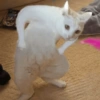
😅 Awkward Pose
White cat standing on hind legs in a weird pose. For clumsy, weird, or slightly embarrassing moments.
-

🤔 Nervous Bite
White-grey cat sitting with a paw in its mouth, looking worried. When you're anxious, thinking hard, or unsure.
-

👍 Double Thumbs Up
Two tuxedo cats both giving a thumbs-up together. Team approval or a strong yes from everyone.
-

🤗 Cat Hug
Two black-and-white cats hugging tightly on the tiles. To send a hug, comfort, or show you miss someone.
-

😴 Paper Nap
Siamese cat sprawled asleep on a pile of worksheets. When homework or paperwork knocks you out.
-

😩 Work Overload
Cat face-down on a messy desk full of papers and a calculator. Totally overwhelmed by work and deadlines.
-
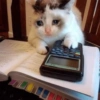
😭 Study Tears
Tiny cat with watery eyes, paw on a calculator and textbook. Struggling with math, exams, or endless studying.
-
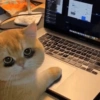
💻 Laptop Stare
Orange cat with huge eyes, paw on a laptop trackpad. Caught at the computer, working or procrastinating.
-
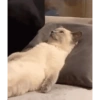
😌 Chill Mode
Cream cat lying on its back, gazing up in total peace. Completely relaxed, no stress, just vibing.
-

🥃 Drink Time
White cat watching a drink being poured, looking intrigued. Cheers, weekend drinks, or a well-earned sip.
-

😒 Annoyed Cat
Fluffy cat looking grumpy, covering its face with a paw. When you're done, annoyed, or don't want to talk.
WhatsApp par download aur install karein
Is sticker pack ko apne WhatsApp par install karne ke liye Sticker Maker app zaroori hai. Agar aapke paas nahi hai, to yahan se download karein: Google Play Store aur App Store. Phone mein app aa jaane ke baad ye steps follow karein:
- Neeche di gayi sticker file download karein (iska extension .wastickers hai). Download hui file ko apne mobile mein dhoondhein aur us par tap karein. Aapka phone poochega ki ise kis app se kholna hai; Sticker Maker chunein. App is file ko automatically naye sticker pack ke roop mein pehchaan lega.
- Jab pack Sticker Maker mein dikh jaye, to "Meri library mein add karein" wala button dabayein, phir "WhatsApp mein add karein", bas ho gaya! Aapke naye stickers aapki saari WhatsApp chats mein use ke liye ready honge.
Sticker.ly se WhatsApp par install karein
Is pack ko add karne ka ek aasan tareeka hai Sticker.ly app. Agar aapke paas abhi tak nahi hai, to yahan se download karein: Google Play Store aur App Store. Phir in do aasan tareekon mein se ek chunein:
- Direct link se: Bas pack ke is link par tap karein: YO86SX. Agar aapke paas Sticker.ly install hai, to stickers turant app mein dikh jayenge.
- Pack code se: Chahein to yahan tap karke "pack code" copy karein: aur use Sticker.ly app ke search bar mein paste kar dein.
Sticker.ly mein pahunchne ke baad "WhatsApp mein add karein" par tap karke confirm karein, aur stickers turant aapke WhatsApp app mein bhej diye jayenge.
Telegram par use karein
Telegram users ke liye sticker pack install karna bilkul aasan hai, ye feature app mein hi hai. Bas is link par jaayein, jo aapko Telegram par le jayega: stickerly_YO86SX_by_stickerly_official_bot. App khulte hi aapko pack dikh jayega aur aap use apni library mein add kar sakte hain, kisi doosre app ki zaroorat nahi.























