Deleted Messages 😁😁📩
📦 Funny reactions when someone deletes a chat. Call them a coward, ask what it said, and remind them you already read it. Send these when a friend unsends a WhatsApp, you saw the blue ticks, or you want to tease them in the group. The 'Deleted Messages 😁😁📩' pack includes 15 stickers high quality. Free download to install on WhatsApp. These stickers contain phrases in Spanish.
-
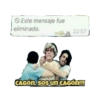
😤 You're a coward!
Friends hold back an angry man after a deleted-message alert. Call someone a coward for deleting a chat.
-

✅ Blue double ticks
WhatsApp logo beside the blue double check of a read chat. Show that their message was seen and read.
-

👀 What did you delete?
A kid side-eyes you under a deleted-message bubble. Ask with side-eye what they just deleted.
-
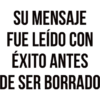
👀 Read before deleted
Dark text bragging the message was read before it was erased. Boast that you read it before they unsended.
-
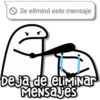
😠 Stop deleting msgs
An angry doodle scolds a crying one for deleting chats. Tell them to stop unsending their messages.
-

😠 I hate deleted msgs
A grumpy blue character on a bench hates deleted messages. Vent about how much you hate deleted chats.
-
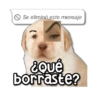
🐶 What did you erase?
A puppy with a raised human eyebrow asks what you deleted. Give a suspicious look after they unsend.
-

😡 Mad about the unsend
An angry cartoon girl holds a deleted-message bubble. Show you are furious they deleted a message.
-
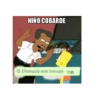
👋 Cowardly kid
A man scolds a cartoon boy after he deleted a message. Call them a cowardly kid for unsending.
-

😠 What did that say?
An angry grandma with a sandal demands what the message said. Demand to know what the deleted message said.
-
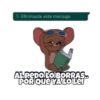
😎 Too late, I read it
A cool mouse with a book says deleting was pointless. Say deleting was pointless because you read it.
-
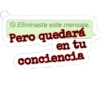
💭 On your conscience
A deleted-message bubble warns it will stay on their conscience. Guilt them: it stays on their conscience.
-

👀 We all saw that
Four colorful characters say everyone saw the deleted chat. Tell the group everyone already saw the unsend.
-

🚫 Avoid being deleted
A red prohibition sign warning: avoid being deleted. Warn them not to unsend, or joke about being removed.
-

😏 Look who deleted it
A tuxedo host mocks the person who just deleted the message. Roast the person who just deleted their message.
Download and Install on WhatsApp
The Sticker Maker app is necessary to install this sticker pack on your WhatsApp. If you don't have it, download it from: Google Play Store and App Store. Once you have it on your phone, follow these instructions:
- Download the sticker file we provide below (it has the .wastickers extension). Locate the downloaded file on your mobile and tap it. Your device will ask you which application you want to open it with; select Sticker Maker. The app will automatically recognize the file as a new sticker pack.
- Once you see the pack inside Sticker Maker, just press the button that says "Add to My Library", then "Add to WhatsApp" and that's it! Your new stickers will be available for use in all your WhatsApp conversations.
Installation on WhatsApp with Sticker.ly
An easy way to add this pack is through the Sticker.ly app. If you don't have it yet, download it from: Google Play Store and App Store. Then choose one of these two simple methods:
- With Direct Link: Simply tap this link to the pack NXOTY5. If you have Sticker.ly installed, you will immediately see the stickers in the app.
- Using the Pack Code: If you prefer, you can copy the "pack code" by tapping here: and paste it into the search bar inside the Sticker.ly app.
Once inside Sticker.ly, confirm the action by tapping "Add to WhatsApp" and the stickers will be instantly sent to your WhatsApp app.
Use on Telegram
For Telegram users, installing a sticker pack is a native and extremely simple process. Just follow this link that will take you to Telegram: stickerly_NXOTY5_by_stickerly_official_bot. When the app opens, you will instantly see the pack and can add it to your library, without the need for third-party apps.