Chic Fashion Girls
📦 Stylish pink accessories and fashionable women in trendy looks. Share chic vibes, coffee love, and girly glamour. Use when sharing fashion inspiration, girly energy, coffee moments, or confident style in chats. The 'Chic Fashion Girls' pack includes 19 stickers ready to share. Free download to install on WhatsApp. These stickers contain phrases in English.
-

👜 Pink Quilted Bag
A luxe pink quilted bag with a silver clasp and top handle. Send when talking about shopping, luxury, or a chic accessory.
-

🍒 Pink Bow Cherries
Two glossy pink cherries tied with a satin bow and a leaf. Send for a sweet, cute, or coquette moment in chat.
-

🎀 Satin Pink Bow
A soft satin pink bow with long flowing tails. Use to add a cute, gift-like, or coquette touch.
-

😎 Trench Coat Walk
Blonde woman in a beige trench, black shorts, and sunglasses. For a confident, stylish walk or a fashion compliment.
-
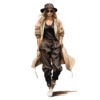
🧢 Casual Street Walk
Woman in a hat, trench, black joggers, and white sneakers. Share a cool casual street look or weekend outfit.
-

🕶️ Striped Cape Look
Woman in a striped beige cape, black pants, and sunglasses. For an elegant, artsy, or runway-inspired fashion vibe.
-

🧣 Cozy Autumn Look
Blonde woman in a beanie, scarf, and cozy layered neutrals. Perfect for chilly days, autumn mood, or cozy style.
-
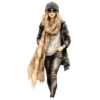
🧣 Plaid Scarf Style
Woman in a beanie, plaid scarf, black coat, and sunglasses. Send for winter fashion, city walks, or cool-girl energy.
-
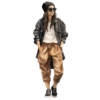
🧢 Street Cargo Look
Woman in a beanie, oversized jacket, cargo pants, and sneakers. For laid-back street style or effortless cool looks.
-
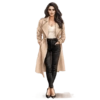
👠 Classic Trench Chic
Brunette in a beige trench, white top, black pants, and heels. Classic chic outfit for work, dinner, or city days.
-

🧥 Oversized Camel Coat
Woman in an oversized camel coat, sunglasses, and heels. For power walks, luxury fashion, or autumn elegance.
-

🧢 Cool Beanie Walk
Woman in a beanie, long coat, beige pants, and tall boots. Share a cozy-cool street look with sunglasses attitude.
-
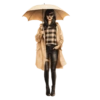
☔ Rainy Day Chic
Woman under a beige umbrella in a check sweater and leather pants. For rainy days, moody fashion, or staying stylish in weather.
-

☕ Coffee Is My Love
Girl in pink sitting on a giant mug: Coffee is my Love! When you need coffee, love caffeine, or share a café mood.
-

☕ Boss Lady Coffee
Blonde in a pink blazer, pearls, and sunglasses holding coffee. For boss mornings, coffee runs, or polished glam energy.
-

🧢 Denim Summer Look
Woman in an open denim jacket, white shorts, and a black cap. Share a flirty summer street look or weekend vibe.
-

😎 Girl Boss Energy
Line-art woman with GIRL BOSS shades holding a coffee cup. For motivation, girl power, or owning your day.
-

🫧 Sassy Bubblegum
Woman blowing a huge bubble while flipping the bird with a heart. When you feel sassy, unbothered, or playfully rebellious.
-

🍒 Cherry Tee Cool
Woman in sunglasses and a cherry tee holding a drink, flipping hair. For cool-girl attitude, summer drinks, or playful confidence.
Download and Install on WhatsApp
The Sticker Maker app is necessary to install this sticker pack on your WhatsApp. If you don't have it, download it from: Google Play Store and App Store. Once you have it on your phone, follow these instructions:
- Download the sticker file we provide below (it has the .wastickers extension). Locate the downloaded file on your mobile and tap it. Your device will ask you which application you want to open it with; select Sticker Maker. The app will automatically recognize the file as a new sticker pack.
- Once you see the pack inside Sticker Maker, just press the button that says "Add to My Library", then "Add to WhatsApp" and that's it! Your new stickers will be available for use in all your WhatsApp conversations.
Installation on WhatsApp with Sticker.ly
An easy way to add this pack is through the Sticker.ly app. If you don't have it yet, download it from: Google Play Store and App Store. Then choose one of these two simple methods:
- With Direct Link: Simply tap this link to the pack SK9KOY. If you have Sticker.ly installed, you will immediately see the stickers in the app.
- Using the Pack Code: If you prefer, you can copy the "pack code" by tapping here: and paste it into the search bar inside the Sticker.ly app.
Once inside Sticker.ly, confirm the action by tapping "Add to WhatsApp" and the stickers will be instantly sent to your WhatsApp app.