

Twitter memee
📦 The 'Twitter memee' pack includes 22 stickers fun and expressive. Free download to install on WhatsApp. These stickers contain phrases in Malay.
-

TREASURE TREASURE @treasuremembers semoga elo mati dicaplok megalondon 02:48 PM 29 Jul 21 Twitter for iPhone 786 Retweets 456 Quote Tweets 1789 Likes 12
-

chitta @chitachitataphon singkat, padat, dan bangsat 06:27 P.M. 12 Nov 20 Twitter for iPhone 166 Retweets 200 Likes
-

bun @bunnybun IH ANJING ANJING ANJING ANJING 21.57 29/05/21 27 ↑
-

rasi @rasiorion ringan sama dijinjing berat sama dipikul kesel banget anjing pengen gue pukul 07:51 PM-21 Feb 21 211 Retweets 413 Likes
-

rasi @rasiorion jadi orang waras dikitlah anjir 02:58 PM 28 Feb 21 122 Retweets 237 Likes 27
-

hajima @dimassadboy_ SINTING SINTING SINTING 18.59 30/09/21 27
-

C lyaa, kamu ngga aku maafin kok 7:47 pm 20 Apr. 22 Twitter for Android all View Tweet activity sxjlbmu @enternnon 27
-

< aci @likalikurasi . waktu indonesia teriak "BAJINGAAAAANN." 17.59 04/01/22 Tweet
-

jio @jio__o gapapa. kita harus tetap santai walau diri terbantai 20.28 08/01/22 27
-

ZO @zzeyyy Tweet Jari tengah buat lo 22.22 26/02/22 Twitter for iPhone 27
-

lia @keyongyongs akhlak lo kayak abu lahab 19.52 10/03/20 - Twitter for Android
-

willy the kid @cursedkidd Replying to @ardibhironx mlutnya kaya kaum kafir quraisy Translate Tweet 10:10 PM. Mar 7, 2020 Twitter for iPhone
-

isnan™ @isnansayyidinaa Membalas @itsvikaaa congornya minta di gelandang aparat 1:33 PM - 14 Des 19 - Twitter for Android
-
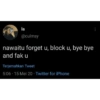
la @culmsy nawaitu forget u, block u, bye bye and fak u Terjemahkan Tweet 5:06 15 Mei 20 Twitter for iPhone
-

Fay² @peachyseokjinz Membalas @starfess LALU AKU HARUS BILANG ANJAY GURINJAY MARKOJAY BAJAY SUKIJAY? Terjemahkan Tweet 5:31 12 Mei 20 Twitter for Android
-

ivranssaragih @ivranssaragih_ Maaf yah jika aku kasar, Soalnya aku bukan makhluk halus Terjemahkan Tweet 9:07.05 Feb 20. Twitter for Android
-

maman racing @3002bu gini banget bahasa jawa Translate Tweet Medeni Aku siji wae mumet din ndasku loro asu ra ngono
-
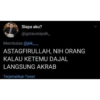
Siapa aku? @gatausiapah_ Membalas @jek_____ ASTAGFIRULLAH, NIH ORANG KALAU KETEMU DAJAL LANGSUNG AKRAB Terjemahkan Tweet
-

Kala. @TetehnyaaJisung Replying to @neoricci Gapapa, sakiti aja gue punya bpjs Translate Tweet 19.08. 27/07/21 Twitter for Android
-

Jendra @juanjendra Tweet Bener bener anjing 09.37 06/03/21 27
-

user @hamtaro jgn sabar mulu coba skali skali ngamuk deh Translate Tweet 14:34 - 07 Nov 21 - Twitter for iPhone 13.2K Retweets 1,734 Quote Tweets 34.2K Likes
-

diaz @cchantimee Membalas @subtanyarl canda canda, gue gampar lu anjing Terjemahkan Tweet 23:21 29 Jan 21 Twitter for Android
Download and Install on WhatsApp
The Sticker Maker app is necessary to install this sticker pack on your WhatsApp. If you don't have it, download it from: Google Play Store and App Store. Once you have it on your phone, follow these instructions:
- Download the sticker file we provide below (it has the .wastickers extension). Locate the downloaded file on your mobile and tap it. Your device will ask you which application you want to open it with; select Sticker Maker. The app will automatically recognize the file as a new sticker pack.
- Once you see the pack inside Sticker Maker, just press the button that says "Add to My Library", then "Add to WhatsApp" and that's it! Your new stickers will be available for use in all your WhatsApp conversations.
Installation on WhatsApp with Sticker.ly
An easy way to add this pack is through the Sticker.ly app. If you don't have it yet, download it from: Google Play Store and App Store. Then choose one of these two simple methods:
- With Direct Link: Simply tap this link to the pack XDOQAC. If you have Sticker.ly installed, you will immediately see the stickers in the app.
- Using the Pack Code: If you prefer, you can copy the "pack code" by tapping here: and paste it into the search bar inside the Sticker.ly app.
Once inside Sticker.ly, confirm the action by tapping "Add to WhatsApp" and the stickers will be instantly sent to your WhatsApp app.
Use on Telegram
For Telegram users, installing a sticker pack is a native and extremely simple process. Just follow this link that will take you to Telegram: stickerly_XDOQAC_by_stickerly_official_bot. When the app opens, you will instantly see the pack and can add it to your library, without the need for third-party apps.























