Squidward
📦 Cartoon moods from grouchy Squidward to teary Bubbles, plus meme pets and penguins. Perfect chat reactions. React with sarcasm, cuteness, anger, sadness, or know-it-all energy in any chat. The 'Squidward' pack includes 20 stickers ready to share. Free download to install on WhatsApp. These stickers contain phrases in English.
-

😩 Totally Drained
Squidward slumps with tired eyes and folded arms, completely drained. When you have zero energy left for anything.
-

😒 Unimpressed
Squidward sits in his Krusty Krab hat looking bored and unimpressed. When nothing impresses you and you're just done.
-

☝️ Know-It-All
Squidward in his hat smirks and points both fingers upward. When you're about to drop a smug correction.
-

👊 Cat Punch
Bubbles flies in and punches a snarling white cat in the face. When you've had enough and snap at the problem.
-

😉 Hamster Hug
Bubbles winks while hugging a tiny hamster close to her cheek. For cute, affectionate, or wholesome moments.
-

😊 Sweet Smile
Bubbles looks at you with big sparkling eyes and a gentle smile. When you want to look innocent, sweet, or extra cute.
-

🐱 Kitty Cuddle
Bubbles floats while hugging a fluffy white cat in her arms. For cozy affection or showing off a beloved pet.
-

🛍️ Shopping Tired
Bubbles looks wiped out with half-closed eyes, carrying shopping bags. After a long shopping trip or a draining errand day.
-

🤗 Comfort Hug
Bubbles hugs Blossom tightly with a worried, caring look. When someone needs a hug or you're quietly worried.
-

😠 Arms Crossed
Bubbles frowns with arms crossed, clearly annoyed and stubborn. When you're mad, stubborn, or not talking to someone.
-

😔 Sad in Bed
Bubbles sits up in bed with big watery eyes, looking miserable. Feeling down, sick, or not wanting to get up.
-

😴 Sleepy with Toy
Bubbles lies in bed hugging a stuffed octopus, looking sleepy and sad. Nighttime sadness, missing someone, or can't sleep.
-

😭 Bursting into Tears
Bubbles covers her face and cries, sitting with tears falling. Overwhelmed, heartbroken, or just need a good cry.
-

🤓 Um Actually
Bespectacled dog points up, ready to drop a smug correction. When you have a fact-check or a nitpick ready.
-
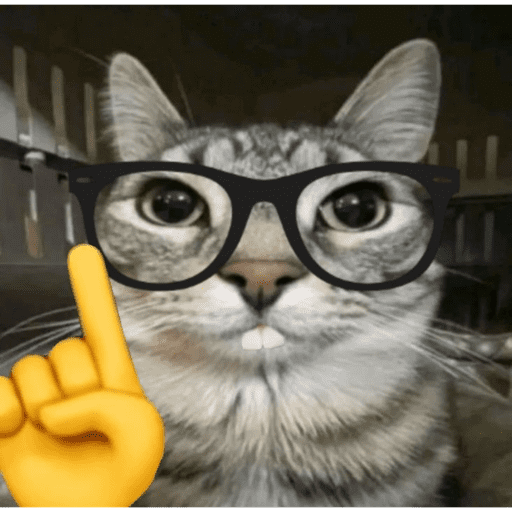
🤓 Smarty Cat
A tabby cat in thick glasses points a finger like a professor. Same know-it-all energy, now with extra cat sass.
-

🐧 Side Eye
Skipper the penguin stares sideways with a suspicious, knowing look. When something feels off or you're watching someone closely.
-

😡 Rage Punch
Squidward snarls and throws a punch, eyes blazing with rage. Peak anger — when you're ready to explode.
-
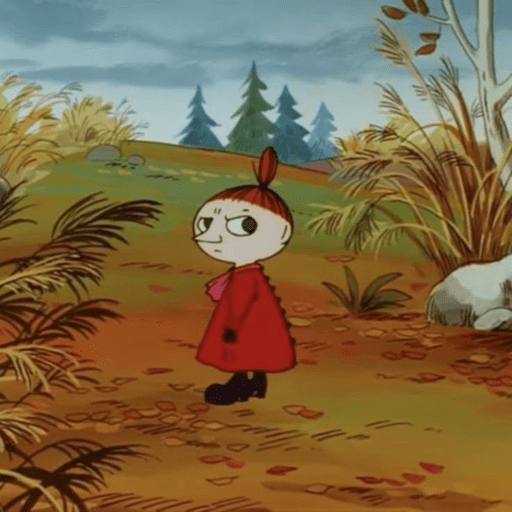
😤 Angry Stroll
Little My stomps down an autumn path with a fierce scowl. Storming off after being annoyed or slighted.
-

🤦 Penguin Facepalm
Skipper clutches his head in shock, beak open in disbelief. When news is so bad or dumb you grab your head.
-

😕 Confused Look
Bubbles tilts her head with a puzzled, slightly panicked expression. When you don't get it or something unexpected just happened.
Download and Install on WhatsApp
The Sticker Maker app is necessary to install this sticker pack on your WhatsApp. If you don't have it, download it from: Google Play Store and App Store. Once you have it on your phone, follow these instructions:
- Download the sticker file we provide below (it has the .wastickers extension). Locate the downloaded file on your mobile and tap it. Your device will ask you which application you want to open it with; select Sticker Maker. The app will automatically recognize the file as a new sticker pack.
- Once you see the pack inside Sticker Maker, just press the button that says "Add to My Library", then "Add to WhatsApp" and that's it! Your new stickers will be available for use in all your WhatsApp conversations.
Installation on WhatsApp with Sticker.ly
An easy way to add this pack is through the Sticker.ly app. If you don't have it yet, download it from: Google Play Store and App Store. Then choose one of these two simple methods:
- With Direct Link: Simply tap this link to the pack JJLJKN. If you have Sticker.ly installed, you will immediately see the stickers in the app.
- Using the Pack Code: If you prefer, you can copy the "pack code" by tapping here: and paste it into the search bar inside the Sticker.ly app.
Once inside Sticker.ly, confirm the action by tapping "Add to WhatsApp" and the stickers will be instantly sent to your WhatsApp app.