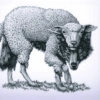
MEME
📦 The 'MEME' pack includes 13 stickers fun and expressive. Free download to install on WhatsApp.
-

* ENTE KADANG KADANG
-

Aku emang suka gak jelas Aldijr menolaklupa Tapi kalo suka kamu sudah jelas><
-

Kenapa Dada Ultraman Bunyinya tinung tinung Karena Kalo Love You Love You Itu aku ke kamu
-
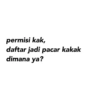
permisi kak, daftar jadi pacar kakak dimana ya?
-
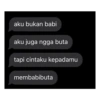
aku bukan babi aku juga ngga buta tapi cintaku kepadamu membabibuta
-

PLIS DONG TERIMA CINTAQU
-

Lo pilih diem atau gue sayang
-

no smoking no alkohol no wa kamu berapa?
-

Gemesin ya km Aku bungkus sini
-
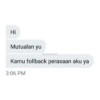
Hi Mutualan yu Kamu follback perasaan aku ya 3:06 PM Econvent
-
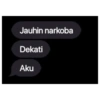
Jauhin narkoba Dekati Aku
-

km suka anime ga sih atau suka aku?
-

ojakh @maoooja Tweet mau jd kucing aja 22.49 12/04/22 > ojakh @maoooja -55s Replying to @maoooja kerjaannya cuman ngeang ngeong doang
Download and Install on WhatsApp
The Sticker Maker app is necessary to install this sticker pack on your WhatsApp. If you don't have it, download it from: Google Play Store and App Store. Once you have it on your phone, follow these instructions:
- Download the sticker file we provide below (it has the .wastickers extension). Locate the downloaded file on your mobile and tap it. Your device will ask you which application you want to open it with; select Sticker Maker. The app will automatically recognize the file as a new sticker pack.
- Once you see the pack inside Sticker Maker, just press the button that says "Add to My Library", then "Add to WhatsApp" and that's it! Your new stickers will be available for use in all your WhatsApp conversations.
Installation on WhatsApp with Sticker.ly
An easy way to add this pack is through the Sticker.ly app. If you don't have it yet, download it from: Google Play Store and App Store. Then choose one of these two simple methods:
- With Direct Link: Simply tap this link to the pack AXJZHU. If you have Sticker.ly installed, you will immediately see the stickers in the app.
- Using the Pack Code: If you prefer, you can copy the "pack code" by tapping here: and paste it into the search bar inside the Sticker.ly app.
Once inside Sticker.ly, confirm the action by tapping "Add to WhatsApp" and the stickers will be instantly sent to your WhatsApp app.
Use on Telegram
For Telegram users, installing a sticker pack is a native and extremely simple process. Just follow this link that will take you to Telegram: stickerly_AXJZHU_by_stickerly_official_bot. When the app opens, you will instantly see the pack and can add it to your library, without the need for third-party apps.