

Tweet salting
📦 The 'Tweet salting' pack includes 16 stickers freshly updated. Free download to install on WhatsApp. These stickers contain phrases in Indonesian.
-

← Thread cloudipieee @cloudipieeey AKU BERUSAHA STAY KUL PADAHAL AKU MELEBUR Translate Tweet 15:37 06 May 22 Twitter for Android ⠀
-

ran @haitaniran Tweet YA SIAPE YANG KAGA JATUH CINTA KALO MODELANNYA KAYA LO 01.53 12/12/21
-

Taka ▼ @duniafreak hati gue anjeeeeeng 12.03 30/10/21 Twitter for iPhone - 17
-
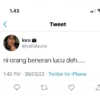
1.43 lora @zelialaura Tweet ni orang beneran lucu deh..... 1.42 PM - 26/03/22 Twitter for iPhone 22 ↑
-

< rere @nnrreta Tweet maaf bantal gue pukulin terus soalnya lgi salting . 21.55 11/05/22 Twitter for iPhone
-
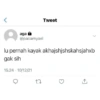
< aga @pacarnyael . lu pernah kayak akhajshjshskahsjahxb gak sih 15.24 10/12/21 Tweet 17
-

winwin ganteng @fanswinwin jantung gw jegarjegur kak 10.29 - 12/12/21 . 17
-
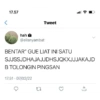
17.57 hah @elisnyambat Tweet BENTAR" GUE LIAT INI SATU SJJSSJDHAJAJJDHSJQKXJJJAKAJD B TOLONGIN PINGSAN 17.51-07/02/22 27
-

dikunci @alfansyahhhhhhdr ngga baik ini buat jantung 8.03 PM 14/07/21 Q " 27
-

r diriku @merana MAKSUDNYA APA SIH GEMES BANGET JINGAAAAAAAAANNNNNNN 11.33 21/03/22 I Tweet 17
-

Z. û @zioooooo Tweet Apkh mmank sngaja mmbuat ak jatuh cinta? 22.16 10/08/22 Twitter for iPhone 27
-

Dewa BORN TO @dumbfusk FUCK CUMA NGETIK AJA LUCU BANGET 08:19 PM 24 Mei 22 O
-

@orgilbehaviour MOOD GUE LANGSUNG BAGUS LAGI INI MAH ANJINGNFFKKFKFJF 16.15 28/10/21 27 J'cranranenelezh
-

< nao + @cinnamonw KAK PACARAN AJA DEH YUK 23.05 27/02/22 Tweet 17
-
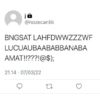
@nozecantik BNGSAT LAHFDWWZZZWF LUCUAUBAABABBANABA AMAT!!???!@$); 21.14 07/03/22 . 27
-

melo @123_ _123c MAUNYA APA SIH? MAUNYA KUPACARI? 20.41 28/04/22 27
Download and Install on WhatsApp
The Sticker Maker app is necessary to install this sticker pack on your WhatsApp. If you don't have it, download it from: Google Play Store and App Store. Once you have it on your phone, follow these instructions:
- Download the sticker file we provide below (it has the .wastickers extension). Locate the downloaded file on your mobile and tap it. Your device will ask you which application you want to open it with; select Sticker Maker. The app will automatically recognize the file as a new sticker pack.
- Once you see the pack inside Sticker Maker, just press the button that says "Add to My Library", then "Add to WhatsApp" and that's it! Your new stickers will be available for use in all your WhatsApp conversations.
Installation on WhatsApp with Sticker.ly
An easy way to add this pack is through the Sticker.ly app. If you don't have it yet, download it from: Google Play Store and App Store. Then choose one of these two simple methods:
- With Direct Link: Simply tap this link to the pack U2AZKU. If you have Sticker.ly installed, you will immediately see the stickers in the app.
- Using the Pack Code: If you prefer, you can copy the "pack code" by tapping here: and paste it into the search bar inside the Sticker.ly app.
Once inside Sticker.ly, confirm the action by tapping "Add to WhatsApp" and the stickers will be instantly sent to your WhatsApp app.
Use on Telegram
For Telegram users, installing a sticker pack is a native and extremely simple process. Just follow this link that will take you to Telegram: stickerly_U2AZKU_by_stickerly_official_bot. When the app opens, you will instantly see the pack and can add it to your library, without the need for third-party apps.























