

Stiker anomali 11
📦 The 'Stiker anomali 11' pack includes 30 stickers easy to install. Free download to install on WhatsApp. These stickers contain phrases in Indonesian.
-

php skip
-

ga gitu dongo
-

alamak
-
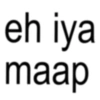
eh iya maap
-

stress
-

fitnah fitnah
-

НАН
-

kok marah? hamil y
-
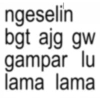
ngeselin bgt ajg gw gampar lu lama lama
-
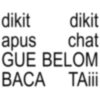
dikit dikit apus chat GUE BELOM BACA TAiii
-

taeil mau taeil?
-
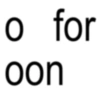
o for oon
-

PAOK
-

aku juga heran kenapa bisa kecintaan banget sama orang satu enih
-
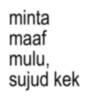
minta maaf mulu, sujud kek
-
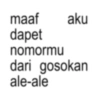
maaf aku dapet nomormu dari gosokan ale-ale
-
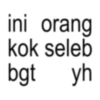
ini orang kok seleb bgt yh
-
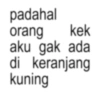
padahal orang kek aku gak ada di keranjang kuning
-
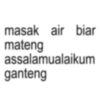
masak air biar mateng assalamualaikum ganteng
-

gaada yg nanya
-

hari ini udah sayang aku belum?
-
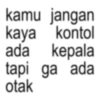
kamu jangan kaya kontol ada kepala tapi ga ada otak
-
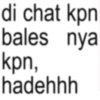
di chat kpn bales nya kpn, hadehhh
-
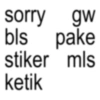
sorry gw bls pake stiker mls ketik
-

apaan
-

dihina tak tumbang, dipuji makasi bang
-

p login
-

cie CIEE CIEEE
-
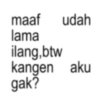
maaf udah lama ilang,btw kangen aku gak?
-
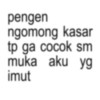
pengen ngomong kasar tp ga cocok sm muka aku yg imut
Download and Install on WhatsApp
The Sticker Maker app is necessary to install this sticker pack on your WhatsApp. If you don't have it, download it from: Google Play Store and App Store. Once you have it on your phone, follow these instructions:
- Download the sticker file we provide below (it has the .wastickers extension). Locate the downloaded file on your mobile and tap it. Your device will ask you which application you want to open it with; select Sticker Maker. The app will automatically recognize the file as a new sticker pack.
- Once you see the pack inside Sticker Maker, just press the button that says "Add to My Library", then "Add to WhatsApp" and that's it! Your new stickers will be available for use in all your WhatsApp conversations.
Installation on WhatsApp with Sticker.ly
An easy way to add this pack is through the Sticker.ly app. If you don't have it yet, download it from: Google Play Store and App Store. Then choose one of these two simple methods:
- With Direct Link: Simply tap this link to the pack 8UAU1Q. If you have Sticker.ly installed, you will immediately see the stickers in the app.
- Using the Pack Code: If you prefer, you can copy the "pack code" by tapping here: and paste it into the search bar inside the Sticker.ly app.
Once inside Sticker.ly, confirm the action by tapping "Add to WhatsApp" and the stickers will be instantly sent to your WhatsApp app.
Use on Telegram
For Telegram users, installing a sticker pack is a native and extremely simple process. Just follow this link that will take you to Telegram: stickerly_8UAU1Q_by_stickerly_official_bot. When the app opens, you will instantly see the pack and can add it to your library, without the need for third-party apps.























