

Gunaydin
📦 The 'Gunaydin' pack includes 23 stickers with great variety. Free download to install on WhatsApp.
-

Günaydın Minik kuşum gumbalmodum Kalkıp benimle ilgilensene
-

Şaşkın olmak istiyorum gumbalmodum Ş'siz umbalmodum
-

Benimle ilgilenmezse 1/2 gumbalmodum Küserim bak gumbalmodum
-
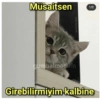
Müsaitsen արբալագաոճ gumbalmodum 1/2 Girebilirmiyim kalbine
-

gumbalmodum Şey gumbalmodum Benimle biraz ilgilenirmisin 1/2
-

gumbalmodum gumbalmodum DİYOR Kİ NE YEMEK İSTERSİN Dudaklarını
-

Hanımefendi yemeğini yediysen gumbalmodum gumbalmodum Artık konuşabilirmiyiz
-

Bu kadar güzel olmak gumbalmodum gumbalmodum Zor olmuyor mu
-

Hanım efendi yemeğimi yedim de gumbalmodum Cumbalmodun Sizi de yersem sorun olmaz dimi
-

Sana iyi geceler demek isterim fakat 1/2 gumbalmodum gumbalmodum Melekler uyumaz diye biliyorum Hanım efendi gumbalmodum
-

Şu mesajıma gumbalmodum gumbalmedum Cevap vericekmisin artık
-

gumbalmodum Bize gelsene 2/3 gumbalmodum Evcilik filan oynarız
-
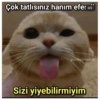
Çok tatlısınız hanım efer 2/2 fatihdemir gumbalmodum Sizi yiyebilirmiyim
-

Hanım efendi müsait misi 1/2 gumbalmodum Biraz konuşalım
-

Mutluluk sebebimi sordu 2/2 umbalmodum re BALL Seni gösterdim
-

Ee anlat bakim 2/2 gumbalmodum Ne var ne yok
-

Ağzına vurmaya geliyorum gumbalmotum gumbalmodum Şimdi bittin sen
-

Günaydın sabahımın güneşi gumbalmodum Benimle ilgilenirmisin
-

Makarnayı sossuz gumbalmodum Seni sonsuz seviyorum Günaydın
-

Bu memleketin bütün manzaralarını gezdim gumbalmodum Gözlerin gibisini bulamadım
-

Görüldü mü attın sen bakimm
-

Rabbim güzellik dağıtırken gumbalmodum Sen kaç defa sıraya girdin de Bu kadar güzelsin
-

Seninle saatlerce konuşsam gumbalmedus gumbalmodum Yine de sıkılmam
Download and Install on WhatsApp
The Sticker Maker app is necessary to install this sticker pack on your WhatsApp. If you don't have it, download it from: Google Play Store and App Store. Once you have it on your phone, follow these instructions:
- Download the sticker file we provide below (it has the .wastickers extension). Locate the downloaded file on your mobile and tap it. Your device will ask you which application you want to open it with; select Sticker Maker. The app will automatically recognize the file as a new sticker pack.
- Once you see the pack inside Sticker Maker, just press the button that says "Add to My Library", then "Add to WhatsApp" and that's it! Your new stickers will be available for use in all your WhatsApp conversations.
Installation on WhatsApp with Sticker.ly
An easy way to add this pack is through the Sticker.ly app. If you don't have it yet, download it from: Google Play Store and App Store. Then choose one of these two simple methods:
- With Direct Link: Simply tap this link to the pack 6O0FAQ. If you have Sticker.ly installed, you will immediately see the stickers in the app.
- Using the Pack Code: If you prefer, you can copy the "pack code" by tapping here: and paste it into the search bar inside the Sticker.ly app.
Once inside Sticker.ly, confirm the action by tapping "Add to WhatsApp" and the stickers will be instantly sent to your WhatsApp app.
Use on Telegram
For Telegram users, installing a sticker pack is a native and extremely simple process. Just follow this link that will take you to Telegram: stickerly_6O0FAQ_by_stickerly_official_bot. When the app opens, you will instantly see the pack and can add it to your library, without the need for third-party apps.























