

Feliz cumpleaños JUNIO 🎉🎂🥰✨
📦 The 'Feliz cumpleaños JUNIO 🎉🎂🥰✨' pack includes 17 stickers high quality. Free download to install on WhatsApp. These stickers contain phrases in Spanish.
-

FELIZ CUMPLEANOS S@SOYTINITAV
-

A LOS QUE CUMPLEN EN @SOYTINITAV JUNIO
-

Y QUE LA *PASEN® @SOYTINITAV SABROSO
-

FELIZ @SOYTINITAV CUMPLEAÑOS
-

A LOS QUE CUMPLEN EN @SOYTINITAV JUNIO
-

Y QUE LA PASEN @SOYTINITAV SABROSO
-
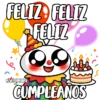
FELIZ: FELIZ FELIZ @SOYTINITAV d CUMPLEAÑOS
-

FELIZ FELIZ FELIZ @SOYTINITAV CUMPLEAÑOS
-

FELIZ CUMPLEANOS @SOYTINITAV TE QUIERO MUCHO
-

FELIZ CUMPLEANOS @SOYTINITAV AMIG@
-

FELIZ CUMPLEANOS @SOYTINITAM TE AMO
-

@SOYTINITAV
-

FELIZ @SOYTINITAV CUMPLE
-

@SOYTINITAV Lifit
-

FELIZ CUMPLEAÑOS @SOYTINITAV PARA MI
-
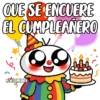
QUE SE ENCUERE EL CUMPLEANERO @SOYTINITAV
-
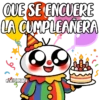
QUE SE ENCUERE LA CUMPLEANERA @SOYTINITAV
Download and Install on WhatsApp
The Sticker Maker app is necessary to install this sticker pack on your WhatsApp. If you don't have it, download it from: Google Play Store and App Store. Once you have it on your phone, follow these instructions:
- Download the sticker file we provide below (it has the .wastickers extension). Locate the downloaded file on your mobile and tap it. Your device will ask you which application you want to open it with; select Sticker Maker. The app will automatically recognize the file as a new sticker pack.
- Once you see the pack inside Sticker Maker, just press the button that says "Add to My Library", then "Add to WhatsApp" and that's it! Your new stickers will be available for use in all your WhatsApp conversations.
Installation on WhatsApp with Sticker.ly
An easy way to add this pack is through the Sticker.ly app. If you don't have it yet, download it from: Google Play Store and App Store. Then choose one of these two simple methods:
- With Direct Link: Simply tap this link to the pack BZ52HH. If you have Sticker.ly installed, you will immediately see the stickers in the app.
- Using the Pack Code: If you prefer, you can copy the "pack code" by tapping here: and paste it into the search bar inside the Sticker.ly app.
Once inside Sticker.ly, confirm the action by tapping "Add to WhatsApp" and the stickers will be instantly sent to your WhatsApp app.























