

Anomali 2
📦 The 'Anomali 2' pack includes 29 stickers with great variety. Free download to install on WhatsApp.
-

tuduhan macam apa ini?
-
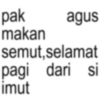
pak agus makan semut, selamat pagi dari si imut
-
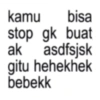
kamu bisa stop gk buat ak asdfsjsk gitu hehekhek bebekk
-
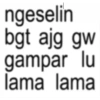
ngeselin bgt ajg gw gampar lu lama lama
-
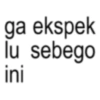
ga ekspek lu sebego ini
-
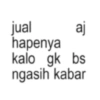
jual aj hapenya kalo gk bs ngasih kabar
-
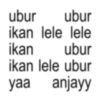
ubur ubur ikan lele lele ikan ubur yaa ikan lele ubur anjayy
-
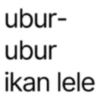
ubur- ubur ikan lele
-
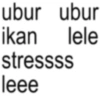
ubur ubur ikan lele stressss leee
-
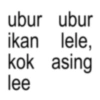
ubur ubur ikan lele, kok asing lee
-
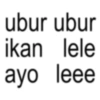
ubur ubur ikan lele ayo leee
-

I'M BACK BABY
-
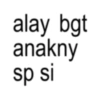
alay bgt anakny sp si
-
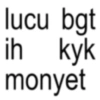
lucu bgt ih kyk monyet
-
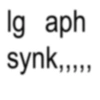
Ig aph synk,,,,,
-
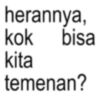
herannya, kok bisa kita temenan?
-

Chatingan sama kamu kok serem ya, notifnya di hape tapi yang getar kok di hati aku...
-
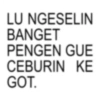
LU NGESELIN BANGET PENGEN GUE CEBURIN KE GOT.
-

Nanya mulu kangen ya
-

gua diem ya pantek
-
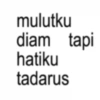
mulutku diam tapi hatiku tadarus
-

reaksi ku:
-
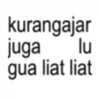
kurangajar juga lu gua liat liat
-

berharap kok sama yang inisial nya R? decalvyn.alvinog
-

HEH ANJING DI JAGA YA KETIKAN LUWH.
-

jAngan gitu sm org imUt!
-
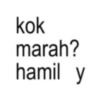
kok marah? hamil y
-

Biasa aja keles
-
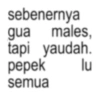
sebenernya gua males, tapi yaudah. pepek semua lu
Download and Install on WhatsApp
The Sticker Maker app is necessary to install this sticker pack on your WhatsApp. If you don't have it, download it from: Google Play Store and App Store. Once you have it on your phone, follow these instructions:
- Download the sticker file we provide below (it has the .wastickers extension). Locate the downloaded file on your mobile and tap it. Your device will ask you which application you want to open it with; select Sticker Maker. The app will automatically recognize the file as a new sticker pack.
- Once you see the pack inside Sticker Maker, just press the button that says "Add to My Library", then "Add to WhatsApp" and that's it! Your new stickers will be available for use in all your WhatsApp conversations.
Installation on WhatsApp with Sticker.ly
An easy way to add this pack is through the Sticker.ly app. If you don't have it yet, download it from: Google Play Store and App Store. Then choose one of these two simple methods:
- With Direct Link: Simply tap this link to the pack EVAST8. If you have Sticker.ly installed, you will immediately see the stickers in the app.
- Using the Pack Code: If you prefer, you can copy the "pack code" by tapping here: and paste it into the search bar inside the Sticker.ly app.
Once inside Sticker.ly, confirm the action by tapping "Add to WhatsApp" and the stickers will be instantly sent to your WhatsApp app.























