Barbie Memes🌸🫦💅🏻
📦 Sassy Barbie reactions with Mexican slang for gossip, shade, nerves and chaotic chats. Use them to spill gossip, throw shade or reply with unbothered Barbie attitude. The 'Barbie Memes🌸🫦💅🏻' pack includes 20 stickers you'll love. Free download to install on WhatsApp. These stickers contain phrases in Spanish.
-

🍿 Spill the tea
Barbie in a movie theater with popcorn, ready for the tea. When you want a friend to dish the latest gossip.
-

🥤 Listen and roast
Barbie sipping a drink while judging everything you say. When the group is ready to hear and roast the story.
-

⏳ Processing your BS
Barbie with a loading icon on her forehead, processing nonsense. When someone says something so dumb you need a minute.
-

🥒 I don't even care
Barbie at the spa with cucumbers, totally unbothered. When you truly do not care about the drama.
-

👋 Keep going, blocked
Barbie waving with a smug smile, ready to hit block. A warning when someone keeps pushing your buttons.
-

😘 Kisses on the chest
Barbie winks and blows a kiss with a sassy pose. A cheeky send-off or flirty sarcastic goodbye.
-

😤 Calm your drama
Puffy-cheeked Barbie telling you to chill out. When someone is overly dramatic or extra agitated.
-

😱 How outrageous!
Shocked Barbie covering her mouth in disbelief. Reacting to scandalous news or a wild confession.
-
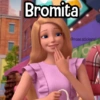
😜 Just a little joke
Barbie giggling after a little joke or tease. After teasing someone so they know it was a joke.
-

📱 What did I just read
Barbie staring at her phone in secondhand horror. When a message is so bad you can't believe it.
-

🌧️ Thinking thoughts
Brunette Barbie gazing out a rainy window, deep in thought. When you're overthinking or in a quiet mood.
-

📱 That's what Google is for
Unimpressed Barbie holding her phone, not here to explain. When someone asks something they could easily search.
-

❓ Wait, what?
Barbie thinking hard with big question marks. When you have no idea what someone just said.
-

🙏 Lord, give patience
Stressed Barbie holding her forehead, asking for patience. When someone is testing your last nerve.
-

👏 Should I clap?
Sarcastic Barbie with arms crossed, unimpressed. When someone brags and you refuse to celebrate it.
-

🐕 Bark so I get it
Barbie in yellow staring you down, not following at all. When someone's rant makes zero sense.
-

😬 I'm getting nervous
Barbie looking sideways, starting to panic. When a situation or chat is making you anxious.
-

🚬 Foolish beliefs
Vintage Barbie lighting a cigarette, unimpressed by nonsense. Dismissing opinions you find completely ridiculous.
-

😒 Were you even born?
Judgmental Barbie questioning how you even exist. A savage roast when someone acts incredibly foolish.
-

💥 Not getting the hint
Barbie with explosions behind her, done repeating herself. When someone still doesn't get a very clear hint.
Download and Install on WhatsApp
The Sticker Maker app is necessary to install this sticker pack on your WhatsApp. If you don't have it, download it from: Google Play Store and App Store. Once you have it on your phone, follow these instructions:
- Download the sticker file we provide below (it has the .wastickers extension). Locate the downloaded file on your mobile and tap it. Your device will ask you which application you want to open it with; select Sticker Maker. The app will automatically recognize the file as a new sticker pack.
- Once you see the pack inside Sticker Maker, just press the button that says "Add to My Library", then "Add to WhatsApp" and that's it! Your new stickers will be available for use in all your WhatsApp conversations.
Installation on WhatsApp with Sticker.ly
An easy way to add this pack is through the Sticker.ly app. If you don't have it yet, download it from: Google Play Store and App Store. Then choose one of these two simple methods:
- With Direct Link: Simply tap this link to the pack MK9JR1. If you have Sticker.ly installed, you will immediately see the stickers in the app.
- Using the Pack Code: If you prefer, you can copy the "pack code" by tapping here: and paste it into the search bar inside the Sticker.ly app.
Once inside Sticker.ly, confirm the action by tapping "Add to WhatsApp" and the stickers will be instantly sent to your WhatsApp app.