3 Bom Dia
📦 The '3 Bom Dia' pack includes 30 stickers with great variety. Free download to install on WhatsApp. These stickers contain phrases in Portuguese.
-

WOO DIA
-

Noa DIA
-

BOM DIA! QUE ELE SEJA DOCE E COLORIDO!
-

BOM D&AⓇ
-

BOM DIAⓇ
-

BOM DIA!
-

BO M DiiiA
-

BOM B Dia
-

*Feliz✰ Domingo
-

அசீவondo
-

Bom Dia!!! Aceita um cafezinho?
-

Aceita um café? Sim, por favor. BOM DIA!
-

Aceita um café? Sim, por favor. Bom die
-
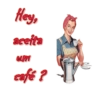
Hey, aceita um café?
-

Aceita um café?
-

Hey, aceita um café? Bom dia
-

Bom Dia
-

Bom dia Hey, aceita um café?
-

BRIGADEIRO
-

A minha Parte Eu quero em BRIGADEIRO
-

FALSA... ME COME E DEPOIS FICA RECLAMANDO!
-

Se ele é bonito, gostoso, te deixa com água na boca e te faz feliz... não é o seu homem, é um brigadeiro
-

FUI ATRÁS da felicidade voltei com um brigadeiro
-

Pode Ноје Росс
-

FINAL DE SEMANA, pode!
-

NÃO TENHO TUDO QUE AMO.…... 10 ...MAS AMO TUDO QUE ENGORDA.
-

NÃO TENTE AGRADAR TODO MUNDO Você não é brigadeiro!
-

A minha Parte Eu quero em
-

Bom Dia!
-

Bom dia!
Download and Install on WhatsApp
The Sticker Maker app is necessary to install this sticker pack on your WhatsApp. If you don't have it, download it from: Google Play Store and App Store. Once you have it on your phone, follow these instructions:
- Download the sticker file we provide below (it has the .wastickers extension). Locate the downloaded file on your mobile and tap it. Your device will ask you which application you want to open it with; select Sticker Maker. The app will automatically recognize the file as a new sticker pack.
- Once you see the pack inside Sticker Maker, just press the button that says "Add to My Library", then "Add to WhatsApp" and that's it! Your new stickers will be available for use in all your WhatsApp conversations.
Installation on WhatsApp with Sticker.ly
An easy way to add this pack is through the Sticker.ly app. If you don't have it yet, download it from: Google Play Store and App Store. Then choose one of these two simple methods:
- With Direct Link: Simply tap this link to the pack 8DOV4T. If you have Sticker.ly installed, you will immediately see the stickers in the app.
- Using the Pack Code: If you prefer, you can copy the "pack code" by tapping here: and paste it into the search bar inside the Sticker.ly app.
Once inside Sticker.ly, confirm the action by tapping "Add to WhatsApp" and the stickers will be instantly sent to your WhatsApp app.