

SNBT UTBK meme
📦 The 'SNBT UTBK meme' pack includes 20 stickers must-have stickers. Free download to install on WhatsApp.
-
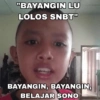
"BAYANGIN LU LOLOS SNBT" BAYANGIN, BAYANGIN, BELAJAR SONO
-

Name we 000000 26 **** 2 2 4 $ " Name TE 1 2 27. 28 10 3 24 ID TEST EXA 52 A 29. 30. 54 UTBK 38. 39. A A 16 41. A 17. A B 42. 43. AB 43 4. f 19. {A 44 16 42. 20 45 17. 43 11. (A) 46 44 22 47 45 23. 48. 41 24 25. A 00000 16. 67 68 69 20
-
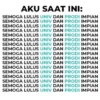
AKU SAAT INI: SEMOGA LULUS UNIV DAN PRODI IMPIAN SEMOGA LULUS UNIV DAN PRODI IMPIAN SEMOGA LULUS UNIV DAN PRODI IMPIAN SEMOGA LULUS UNIV DAN PRODI IMPIAN SEMOGA LULUS UNIV DAN PRODI IMPIAN SEMOGA LULUS UNIV DAN PRODI IMPIAN SEMOGA LULUS UNIV DAN PRODI IMPIAN SEMOGA LULUS UNIV DAN PRODI IMPIAN SEMOGA LULUS UNIV DAN PRODI IMPIAN SEMOGA LULUS UNIV DAN PRODI IMPIAN SEMOGA LULUS UNIV DAN PRODI IMPIAN SEMOGA LULUS UNIV DAN PRODI IMPIAN SEMOGA LULUS UNIV DAN PRODI IMPIAN SEMOGA LULUS UNIV DAN PRODI IMPIAN SEMOGA LULUS UNIV DAN PRODI IMPIAN SEMOGA LULUS UNIV DAN PRODI IMPIAN SEMOGA LULUS UNIV DAN PRODI IMPIAN
-

Maju lo utbk 86 Pk, Pm
-
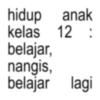
hidup anak kelas 12: belajar, nangis, belajar lagi
-

2025 tolong bawa aku ke salah satu dari mereka UNNES UNS LUST UNM
-

Sabar napa ya allah
-

Gusti Allah plz i beg ur pity V belajar bareng dan saling bertukar ilmu latihan 1000 soal belajar materi
-

My Dream It's you Universitas Indonesia kalau gagal ya coba Lagi yakali gagal, pasti Lah!! berhasil lah aku pasti bisa jangan Типи hp nya disimpen dulu guys Doa yang banyak Semangat!!
-
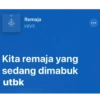
1 Remaja HIVI! Kita remaja yang sedang dimabuk utbk
-

tetep konsisten to walau skor to bikin ga tahan
-
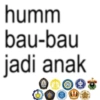
humm bau-bau jadi anak PAN
-

卵 aku pm LIBE nd UBI
-

saran universitas yang gak mandang nilai, harta, nerima apa adanya dan selalu support ketika dibawah
-

APANSI MATERI GBLK apa gw yg gblk
-
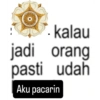
kalau jadi orang pasti udah Aku pacarin
-

SD SMP SMA UI
-
gws (gue will survive)
-

GW UDAH MUAK
-
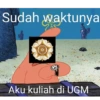
Sudah waktunya Aku kuliah di UGM
Download and Install on WhatsApp
The Sticker Maker app is necessary to install this sticker pack on your WhatsApp. If you don't have it, download it from: Google Play Store and App Store. Once you have it on your phone, follow these instructions:
- Download the sticker file we provide below (it has the .wastickers extension). Locate the downloaded file on your mobile and tap it. Your device will ask you which application you want to open it with; select Sticker Maker. The app will automatically recognize the file as a new sticker pack.
- Once you see the pack inside Sticker Maker, just press the button that says "Add to My Library", then "Add to WhatsApp" and that's it! Your new stickers will be available for use in all your WhatsApp conversations.
Installation on WhatsApp with Sticker.ly
An easy way to add this pack is through the Sticker.ly app. If you don't have it yet, download it from: Google Play Store and App Store. Then choose one of these two simple methods:
- With Direct Link: Simply tap this link to the pack W6GI3B. If you have Sticker.ly installed, you will immediately see the stickers in the app.
- Using the Pack Code: If you prefer, you can copy the "pack code" by tapping here: and paste it into the search bar inside the Sticker.ly app.
Once inside Sticker.ly, confirm the action by tapping "Add to WhatsApp" and the stickers will be instantly sent to your WhatsApp app.
Use on Telegram
For Telegram users, installing a sticker pack is a native and extremely simple process. Just follow this link that will take you to Telegram: stickerly_W6GI3B_by_stickerly_official_bot. When the app opens, you will instantly see the pack and can add it to your library, without the need for third-party apps.























