

TXT dari Anonim
📦 The 'TXT dari Anonim' pack includes 15 stickers ready to share. Free download to install on WhatsApp.
-

flood my inbox if ur a real one I love uu sayanggg :)
-
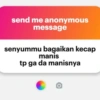
send me anonymous message senyummu bagaikan kecap manis tp ga da manisnya
-
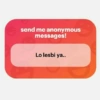
send me anonymous messages! Lo lesbi ya..
-
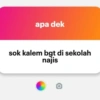
apa dek sok kalem bgt di sekolah najis
-
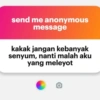
send me anonymous message kakak jangan kebanyak senyum, nanti malah aku yang meleyot O
-
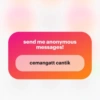
send me anonymous messages! cemangatt cantik
-
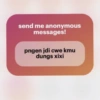
send me anonymous messages! pngen jdi cwe kmu dungs xixi
-
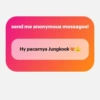
send me anonymous messages! Hy pacarnya Jungkook❤
-

KYWENG Ask me a question sok inggris ye lu
-
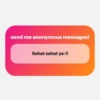
send me anonymous messages! Sehat sehat ya-!!
-

send me anonymous messages! udah move'on blm?.
-
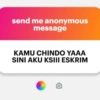
send me anonymous message KAMU CHINDO YAAA SINI AKU KSIII ESKRIM
-
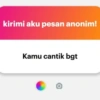
kirimi aku pesan anonim! Kamu cantik bgt
-
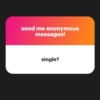
send me anonymous messages! single?
-
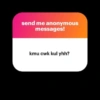
send me anonymous messages! kmu cwk kul yhh?
Download and Install on WhatsApp
The Sticker Maker app is necessary to install this sticker pack on your WhatsApp. If you don't have it, download it from: Google Play Store and App Store. Once you have it on your phone, follow these instructions:
- Download the sticker file we provide below (it has the .wastickers extension). Locate the downloaded file on your mobile and tap it. Your device will ask you which application you want to open it with; select Sticker Maker. The app will automatically recognize the file as a new sticker pack.
- Once you see the pack inside Sticker Maker, just press the button that says "Add to My Library", then "Add to WhatsApp" and that's it! Your new stickers will be available for use in all your WhatsApp conversations.
Installation on WhatsApp with Sticker.ly
An easy way to add this pack is through the Sticker.ly app. If you don't have it yet, download it from: Google Play Store and App Store. Then choose one of these two simple methods:
- With Direct Link: Simply tap this link to the pack MV18FI. If you have Sticker.ly installed, you will immediately see the stickers in the app.
- Using the Pack Code: If you prefer, you can copy the "pack code" by tapping here: and paste it into the search bar inside the Sticker.ly app.
Once inside Sticker.ly, confirm the action by tapping "Add to WhatsApp" and the stickers will be instantly sent to your WhatsApp app.
Use on Telegram
For Telegram users, installing a sticker pack is a native and extremely simple process. Just follow this link that will take you to Telegram: stickerly_MV18FI_by_stickerly_official_bot. When the app opens, you will instantly see the pack and can add it to your library, without the need for third-party apps.























