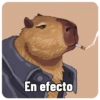
Capybara Energy
📦 Funny capybaras in costumes, jobs, and everyday moods Use it for humor, chill vibes, work chats, or meme reactions The 'Capybara Energy' pack includes 20 stickers you'll love. Free download to install on WhatsApp.
-

🦇 Batman Capybara
A capybara in a blue Batman cape and dark goggles When you feel heroic or ready to save the day
-

🤠 Sombrero Hello
A cute capybara wearing a colorful woven sombrero For greetings, fiesta vibes, or a cheerful hello
-

🍔 Burger Backpack
A capybara wearing a plush hamburger as a backpack When you're hungry or talking about food
-

🔪 Backstabber
One capybara climbing on another while holding a knife Dark humor, betrayal jokes, or a playful threat
-

🤨 Unimpressed
A capybara with fake angry eyebrows looking to the side When you're skeptical, judging, or totally unimpressed
-

💻 On a Call
A capybara with a headset typing at a computer When working, in a meeting, or stuck on customer support
-

😴 Time to Sleep
A capybara sleeping peacefully with the phrase a mimir When going to bed or telling someone to sleep
-

🍊 Orange Bath
A capybara soaking with an orange balanced on its head When relaxing, spa time, or feeling totally zen
-

🎩 Distinguished Gentleman
A capybara in a top hat, monocle, and bow tie When being fancy, classy, or extra formal
-

🏖️ Vacation Mode
A capybara in a straw hat, goggles, and a floral shirt When talking about travel, beach days, or holidays
-

🖥️ Office Hours
A capybara at a messy office desk with a water bottle When you're at work or pretending to be productive
-

📖 Bookworm
A capybara with glasses reading a book by the window When studying, reading, or feeling intellectual
-

💦 Soaked and Free
A soaking wet capybara looking up with water dripping down After a shower, in the rain, or feeling refreshed
-

😊 Blissful Smile
A close-up of a capybara smiling peacefully outdoors When you're happy, content, or enjoying the moment
-

🦸 Hero Cape
A proud capybara wearing a blue cape with yellow trim When you feel special, heroic, or worth celebrating
-

😛 Tiny Tongue
A close-up of a capybara with its tongue slightly out When being silly, awkward, or making a funny face
-
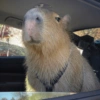
🚗 Shotgun Seat
A capybara sitting in a car and looking at the camera When you're on the road or heading somewhere
-

🚗 Night Ride
A capybara peeking out of a red car window at night When going out at night or arriving somewhere
-

🎅 Christmas Gift
A capybara in a Santa hat sitting among wrapping paper For Christmas greetings or holiday season chats
-

🎅 Santa Capybara
A capybara wearing a Santa hat sitting on grass outdoors For festive wishes or spreading holiday cheer
Download and Install on WhatsApp
The Sticker Maker app is necessary to install this sticker pack on your WhatsApp. If you don't have it, download it from: Google Play Store and App Store. Once you have it on your phone, follow these instructions:
- Download the sticker file we provide below (it has the .wastickers extension). Locate the downloaded file on your mobile and tap it. Your device will ask you which application you want to open it with; select Sticker Maker. The app will automatically recognize the file as a new sticker pack.
- Once you see the pack inside Sticker Maker, just press the button that says "Add to My Library", then "Add to WhatsApp" and that's it! Your new stickers will be available for use in all your WhatsApp conversations.
Installation on WhatsApp with Sticker.ly
An easy way to add this pack is through the Sticker.ly app. If you don't have it yet, download it from: Google Play Store and App Store. Then choose one of these two simple methods:
- With Direct Link: Simply tap this link to the pack WGFCPI. If you have Sticker.ly installed, you will immediately see the stickers in the app.
- Using the Pack Code: If you prefer, you can copy the "pack code" by tapping here: and paste it into the search bar inside the Sticker.ly app.
Once inside Sticker.ly, confirm the action by tapping "Add to WhatsApp" and the stickers will be instantly sent to your WhatsApp app.
Use on Telegram
For Telegram users, installing a sticker pack is a native and extremely simple process. Just follow this link that will take you to Telegram: stickerly_WGFCPI_by_stickerly_official_bot. When the app opens, you will instantly see the pack and can add it to your library, without the need for third-party apps.