Cat & Dog Memes
📦 Hilarious cats and dogs making iconic faces. From grumpy stares to shocked looks, these pet memes say it all without a single word. React without typing. Perfect for anger, shock, suspicion, laughter, or a playful threat in any conversation. The 'Cat & Dog Memes' pack includes 9 stickers for any conversation. Free download to install on WhatsApp.
-

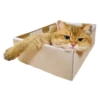
😾 Grumpy Cat
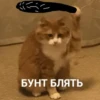
Orange-and-white cat with a deep, unimpressed frown. When something really ticks you off or you strongly disapprove.
-

😲 Shocked Dog
Boxer dog with huge wide eyes and a stunned look. When you hear unexpected news or get caught off guard.
-
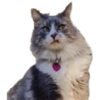
😼 Skeptical Cat
Fluffy gray cat staring with a doubtful, judging look. When you don't buy the story or something feels off.
-

😮 Surprised Cat
Gray cat looking up with huge yellow eyes in shock. When something unexpected pops up or you are stunned.
-

🤪 Derpy Dog
Cream dog looking up with a vacant, derpy stare. When you have no clue what's going on or play dumb.
-

😏 Smug Dog
Brown dog squinting with a smug, satisfied look. When you were right all along or just won the argument.
-

🤭 Giggling Puppy
Adorable puppy covering its mouth as if giggling. When something is too funny or you said something silly.
-

🔪 Knife Chihuahua
Tiny white chihuahua holding a large kitchen knife. When you jokingly threaten someone or mean serious business.
-

👀 Suspicious Dog
White chihuahua peeking sideways with a sly look. When you overhear gossip or something seems fishy.
Download and Install on WhatsApp
The Sticker Maker app is necessary to install this sticker pack on your WhatsApp. If you don't have it, download it from: Google Play Store and App Store. Once you have it on your phone, follow these instructions:
- Download the sticker file we provide below (it has the .wastickers extension). Locate the downloaded file on your mobile and tap it. Your device will ask you which application you want to open it with; select Sticker Maker. The app will automatically recognize the file as a new sticker pack.
- Once you see the pack inside Sticker Maker, just press the button that says "Add to My Library", then "Add to WhatsApp" and that's it! Your new stickers will be available for use in all your WhatsApp conversations.