

Türkçe BTS memes
📦 The 'Türkçe BTS memes' pack includes 30 stickers ready to share. Free download to install on WhatsApp.
-

-

-

-

-

-

-

-

-

-

bok ye
-

mapao T sanırım altıma yaptım..
-

=0 - b) = DSC -b+ 2 a² - 2001 n (a−b)=a²-2ab+ 62 2at Ka-b tga = Cos a 2 a + cos a dt Age ax² +bx+c= sin ² α "de 102-4a²-20 sin a cos a (a−b)³ = ² (a+b)la-b çocuğun nasıl olduğunu dinliyorumdur 2at CO 4ac 4ac 2 sin a cos a ndt tga = SII
-

Ai götüm
-
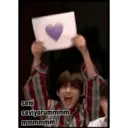
seni seviyorummmm mmmmmm
-

hayattan biktim mk
-

banamı dediniz acap
-
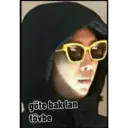
göte bak lan tövbe
-

Götümü yala
-

Siktim seni..
-

Lan çiş mi ne bu
-

ANDAL TV Or Ne bakıyon lan öyle pis pis
-

retto Sen benim olmalısın
-

Hay zevkine sıçim
-

6,590 998 ben sana yapacağımı biliyorum
-

birisi yakışıklımı dedi
-

kafayı yiyecem kafayı
-

sanane be gött
-

kalbime indi amına koyayım
-

어차피 내일 아님 kimmiş daha güzel hi
-

benide yeseydin amına koyiyim annanamannaa mammanananan suratımı sikeyim ben
Download and Install on WhatsApp
The Sticker Maker app is necessary to install this sticker pack on your WhatsApp. If you don't have it, download it from: Google Play Store and App Store. Once you have it on your phone, follow these instructions:
- Download the sticker file we provide below (it has the .wastickers extension). Locate the downloaded file on your mobile and tap it. Your device will ask you which application you want to open it with; select Sticker Maker. The app will automatically recognize the file as a new sticker pack.
- Once you see the pack inside Sticker Maker, just press the button that says "Add to My Library", then "Add to WhatsApp" and that's it! Your new stickers will be available for use in all your WhatsApp conversations.
Installation on WhatsApp with Sticker.ly
An easy way to add this pack is through the Sticker.ly app. If you don't have it yet, download it from: Google Play Store and App Store. Then choose one of these two simple methods:
- With Direct Link: Simply tap this link to the pack KX1I2T. If you have Sticker.ly installed, you will immediately see the stickers in the app.
- Using the Pack Code: If you prefer, you can copy the "pack code" by tapping here: and paste it into the search bar inside the Sticker.ly app.
Once inside Sticker.ly, confirm the action by tapping "Add to WhatsApp" and the stickers will be instantly sent to your WhatsApp app.























