

Bob el Constructor Peruano 1
📦 The 'Bob el Constructor Peruano 1' pack includes 30 stickers must-have stickers. Free download to install on WhatsApp. These stickers contain phrases in Spanish.
-

Por mi culpa, mi sobrino anda publicando que le gusta la pinGAAA
-

-
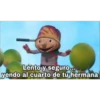
Lento y seguro. yendo al cuarto de tu hermana
-

Yni siquiera tuve que pedirselo
-

Aea. gracias por el dato, mongol
-

ELT BOB Mientras tu publicas huevadas „yo me ando llevando tu techo de calaminas gaaa
-

-

saludos a la kchera de tu vieja, tarao
-

Pobre su viejita no tuvo plata para abortar a esa kgada
-

Ya fue pe causa, voy a chorear la mercadería de tu viejita TAZ
-

Manito, ve y dile a vieja de este mongolo que cuando me la kché, me vacié adentro
-

Pvta que salao soy
-

A cada rato este csmr?
-

Este csmre es kbro y tengo pruebas -
-

Aca pe Practicando para darle de a tobi a tu vieja
-

Ma TAZ Ahi nomas contigo, kbro. palteas
-
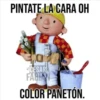
PINTATE LA CARA OH D. CESAR FABIN COLOR PANETÓN.
-

Así de abierta dejé a tu vieja, cuando me la kché
-

sobrino, hoy en la noche nosé de que color dejarte tu potito verde o rojo? ano
-

Mira ese anazo, causa
-

Piola, sobrino Me esperas calatito en tu cuarto
-

espera causa , mastica bien tu mote
-

AEA POR KE MEJOR NO HACES ALGO PRODUCTIVO Y ME CHUPAS LA PINGAAA?
-
apura sobrino,que el agua de la ducha ya está caliente GAAA
-

Aea... Dejame anotarlo en mi libro de: "cosas que me llegan al pincho"
-

Tmr como la extraño.
-

Yara, causa, la cagué. embaraze a mi sobrino por la ptmre
-

Déjame adivinar. colegio estatal?
-

Qué fue, kgada.. encontré el video de tu vieja
-

Se nota que tu tío, te dejó así de abierto el qlo
Download and Install on WhatsApp
The Sticker Maker app is necessary to install this sticker pack on your WhatsApp. If you don't have it, download it from: Google Play Store and App Store. Once you have it on your phone, follow these instructions:
- Download the sticker file we provide below (it has the .wastickers extension). Locate the downloaded file on your mobile and tap it. Your device will ask you which application you want to open it with; select Sticker Maker. The app will automatically recognize the file as a new sticker pack.
- Once you see the pack inside Sticker Maker, just press the button that says "Add to My Library", then "Add to WhatsApp" and that's it! Your new stickers will be available for use in all your WhatsApp conversations.























