

Males ngetik
📦 The 'Males ngetik' pack includes 24 stickers easy to install. Free download to install on WhatsApp.
-
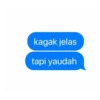
kagak jelas tapi yaudah
-
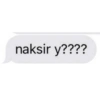
naksir y????
-
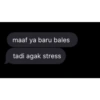
maaf ya baru bales tadi agak stress
-
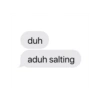
duh aduh salting
-
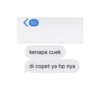
50 kenapa cuek di copet ya hp nya
-
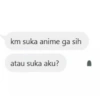
km suka anime ga sih atau suka aku?
-

kamu kok ketikannya jahat haters ya
-
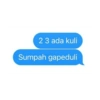
23 ada kuli Sumpah gapeduli
-
![ala @stresssbgt mulai buaya nya 11.30 PM 16/04/22 27 <]](https://s37.stickerfan.net/yst-acm/stickerfan_e86084ecc7dee03cf2373f0c9c05f590_t.webp)
ala @stresssbgt mulai buaya nya 11.30 PM 16/04/22 27 <]
-

tim elang @membuahi mulutny dijaga km islam bukan
-
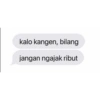
kalo kangen, bilang jangan ngajak ribut
-

manggil manggil mulu naksir ya?
-
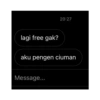
20:27 lagi free gak? aku pengen ciuman Message...
-
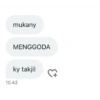
mukany MENGGODA ky takjil 10.42
-

Bajingan Makin songong aja Sama baginda
-

Selamat Malam Minggu
-

Jika MENCINTAIMU adalah PROFESI Akuyang Minta Lembur Tiap Hari
-

akan tampak lebih indah jika ada jariku di sela-selanya
-

LO TAU GAK GUA KANGEN SAMA SIAPA? LIAT KANAN BAWAH ini kiri goblok ya kangen sama u ajg
-

SELAMAT MALAM SAHABAT Lilyharsons Jangan Biarkan Kebahagiaan Kita Menjadi Berkurang Hanya Karena Kebencian
-

Selamat Pagi Salam Sehat Tetap Semangat
-

Kita awali bangun pagi dengan ungkapan rasa syukur Selamat pagi Salam Sehat, Semangat dan Sukses selalu. selamat beraktivitas
-

Selamat pagi.. Semoga Kita Semua Selalu Di Berikan Kesehatan Kebahagiaan dan Rezeki Yang Melimpah God- Bless
-

Jauh di mata Dekat di hati Saya ucapkan Selamat Pagi
Download and Install on WhatsApp
The Sticker Maker app is necessary to install this sticker pack on your WhatsApp. If you don't have it, download it from: Google Play Store and App Store. Once you have it on your phone, follow these instructions:
- Download the sticker file we provide below (it has the .wastickers extension). Locate the downloaded file on your mobile and tap it. Your device will ask you which application you want to open it with; select Sticker Maker. The app will automatically recognize the file as a new sticker pack.
- Once you see the pack inside Sticker Maker, just press the button that says "Add to My Library", then "Add to WhatsApp" and that's it! Your new stickers will be available for use in all your WhatsApp conversations.
Installation on WhatsApp with Sticker.ly
An easy way to add this pack is through the Sticker.ly app. If you don't have it yet, download it from: Google Play Store and App Store. Then choose one of these two simple methods:
- With Direct Link: Simply tap this link to the pack YKSUNQ. If you have Sticker.ly installed, you will immediately see the stickers in the app.
- Using the Pack Code: If you prefer, you can copy the "pack code" by tapping here: and paste it into the search bar inside the Sticker.ly app.
Once inside Sticker.ly, confirm the action by tapping "Add to WhatsApp" and the stickers will be instantly sent to your WhatsApp app.
Use on Telegram
For Telegram users, installing a sticker pack is a native and extremely simple process. Just follow this link that will take you to Telegram: stickerly_YKSUNQ_by_stickerly_official_bot. When the app opens, you will instantly see the pack and can add it to your library, without the need for third-party apps.























