Halloween
📦 A collection of fun and spooky Halloween-themed stickers. Perfect for celebrating Halloween with fun and spooky flair. The 'Halloween' pack includes 15 stickers freshly updated. Free download to install on WhatsApp.
-

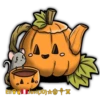
🎃🕯️ Jack-o'-Lantern
A classic carved Jack-o'-lantern glowing warmly. Ideal for traditional Halloween decorations.
-

🐶👻🎃 Dog Ghost Trick-or-Treating
A dog dressed as a ghost holding a pumpkin basket. Use for Halloween messages featuring pets or trick-or-treating.
-

🧟♀️🧻 Mummy Pose
A spooky mummy standing with arms crossed. Good for spooky or funny Halloween messages.
-

🧟♂️🧠 Frankenstein Monster
A cartoonish Frankenstein-style monster with bolts on the neck. Classic Halloween monster fun. Use for humor or spooky themes.
-

👻🕸️ Floating Ghost
A simple ghost floating with a white sheet. Use to add a ghostly touch to anything Halloween related.
-


👻🎩 Ghost with Witch Hat
A cute ghost wearing a black witch hat. Use to add a magical or spooky touch to messages.
-

🐱👀 Glowing Cat Eyes
A pair of glowing cat-like eyes. Use to create a mysterious or spooky atmosphere.
-


💀🕺 Solo Dancing Skeleton
A single skeleton performing a dance move. Use for quirky or humorous Halloween occasions.
-

🕷️💀 Creepy Claw Marks
Green claw marks with skull decoration. Use to convey a creepy or spooky feeling.
-

💀🎉 Dancing Skeleton
A skeleton dancing with raised arms. Use for fun and playful messages with a spooky twist.
-

💀💃 Dancing Skeletons
Multiple skeletons dancing energetically. Great for lively Halloween celebrations.
-

🕷️🎃 Creepy Spider
A realistic black spider silhouette. Perfect for adding a scary touch to Halloween messages.
-

🎃😄 Smiling Pumpkin
A cheerful pumpkin with a big smile. Perfect for expressing happiness or humor during Halloween.
-

🎃🕺 Dancing Pumpkin Head
A bear costume with a pumpkin head dancing. Great for fun and playful Halloween messages.
-

🧛♀️🩸 Vampire Girl
A cartoon vampire girl with fangs bared. Excellent for spooky Halloween and fantasy themes.
Download and Install on WhatsApp
The Sticker Maker app is necessary to install this sticker pack on your WhatsApp. If you don't have it, download it from: Google Play Store and App Store. Once you have it on your phone, follow these instructions:
- Download the sticker file we provide below (it has the .wastickers extension). Locate the downloaded file on your mobile and tap it. Your device will ask you which application you want to open it with; select Sticker Maker. The app will automatically recognize the file as a new sticker pack.
- Once you see the pack inside Sticker Maker, just press the button that says "Add to My Library", then "Add to WhatsApp" and that's it! Your new stickers will be available for use in all your WhatsApp conversations.
Installation on WhatsApp with Sticker.ly
An easy way to add this pack is through the Sticker.ly app. If you don't have it yet, download it from: Google Play Store and App Store. Then choose one of these two simple methods:
- With Direct Link: Simply tap this link to the pack 0T24OV. If you have Sticker.ly installed, you will immediately see the stickers in the app.
- Using the Pack Code: If you prefer, you can copy the "pack code" by tapping here: and paste it into the search bar inside the Sticker.ly app.
Once inside Sticker.ly, confirm the action by tapping "Add to WhatsApp" and the stickers will be instantly sent to your WhatsApp app.