

Trend tt
📦 The 'Trend tt' pack includes 25 stickers with great variety. Free download to install on WhatsApp.
-
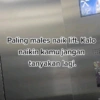
M2 Paling males naik lift. Kalo naikin kamu jangan # tanyakan lagi. Q
-

Awalnya sok2an buang muka, udah tahu enak sekarang buangnya di dalam. Dasar pala botak.
-

Biduan goyangnya di atas panggung. Aku cukup di atas kursi berdua dengan ayank. T
-

cape cape cari baju,unjung unjunya di bukain kamu
-

HRU udah gede masi suka nyusu
-
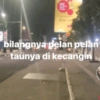
bilangnya pelan pelån taunya di kecangin
-

lebih suka eskrim vanila kamu dri pda eskrim Ured
-
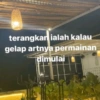
terangkan ialah kalau gelap artnya permainan dimulai
-
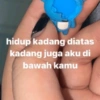
hidup kadang diatas kadang juga aku di bawah kamu
-
ARU ERBAGI u.com O H00-491988 Alfamart Alfagift kalau dia suka merasa benar kalau aku suka benerin pas kamu salah masukin INEFILIURFARS SILVERQUEEN SUVER QUEEN + 345.5
-

belum enak belum puas
-
bercuma punya cowo kalo ga enak”
-
ikan apa yang enak? i kan ah ah ahh
-

bangun tidur kuteruskan ronde
-

punya kamu sering buat mulutku berisik
-
keluar masuk emang enak, tapi diemut juga enak bgt
-

ini lagi melek kalo merem melek dibawah kamu
-

pantainya lagi surut kalo banjir kan punyamu
-
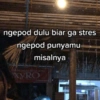
ngepod dulu biar ga stres ngepod punyamu misalnya XYRO 1918. STOMAMATE
-

katanya temen kok buka bukaan
-

kan eskrim leleh kok ini kerass
-

Yang dihisap batang Yang bereaksi ujungnya Dasar rokok
-

Ditusuk bukannya sakit Malah nagih dasar Cotton bud
-
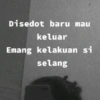
Disedot baru mau keluar Emang kelakuan si selang
-
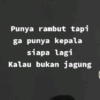
Punya rambut tapi ga punya kepala siapa lagi Kalau bukan jagung
Download and Install on WhatsApp
The Sticker Maker app is necessary to install this sticker pack on your WhatsApp. If you don't have it, download it from: Google Play Store and App Store. Once you have it on your phone, follow these instructions:
- Download the sticker file we provide below (it has the .wastickers extension). Locate the downloaded file on your mobile and tap it. Your device will ask you which application you want to open it with; select Sticker Maker. The app will automatically recognize the file as a new sticker pack.
- Once you see the pack inside Sticker Maker, just press the button that says "Add to My Library", then "Add to WhatsApp" and that's it! Your new stickers will be available for use in all your WhatsApp conversations.
Installation on WhatsApp with Sticker.ly
An easy way to add this pack is through the Sticker.ly app. If you don't have it yet, download it from: Google Play Store and App Store. Then choose one of these two simple methods:
- With Direct Link: Simply tap this link to the pack L7RMDR. If you have Sticker.ly installed, you will immediately see the stickers in the app.
- Using the Pack Code: If you prefer, you can copy the "pack code" by tapping here: and paste it into the search bar inside the Sticker.ly app.
Once inside Sticker.ly, confirm the action by tapping "Add to WhatsApp" and the stickers will be instantly sent to your WhatsApp app.























