

Halloween Admin
📦 The 'Halloween Admin' pack includes 30 stickers for daily chats. Free download to install on WhatsApp.
-

Hagan sus a portes @Mycute stickers
-

Respeich las reglas X
-

Hora de cerrar grupo zZZ Mycute_stickers
-

@Mycute_stickers Ydporfavor?
-

Lindo día @Mycute_stickers
-

Los vigile @Mycute_stickers
-
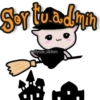
Soy ito.a. dym 3 Mycute_stickers ¢
-

S'e salió Tholo elimine UU @Mycute stickers
-
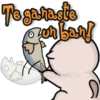
Te ganaste zonban! X @Mycute_stickers
-
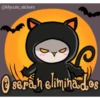
@Mycute_stickers D Ⓒserán eliminados
-

@Mycute_stickers f Grutabierto
-

Exceclentis aporte @Mycute_stickers
-

Buenas noches @Mycute_stickers
-

@Mycute_stickers Bigialaa!
-

Hola grupo! @Mycute_stickers
-
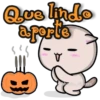
Que lindo a porte B A @viycute stickers
-

@Mycute stickers }} Fresgatomcerto
-

Buenas noches @Mycute stickers ))
-

De nada @Mycute_stickers v
-

@Mycute_stickers X *WWW
-

Talves el ban @Mycute_stickers ()) +x telaga reflexionar
-
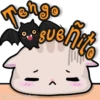
Tengo puoliate su @Mycute_stickers >
-

Disfrutichel grupp 0 @Mycute stickers
-
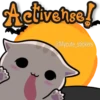
Activense! @Mycute_stickers
-

@Mycute_stickers Yomikora de comer
-
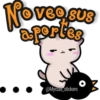
Noveo SUS a portes @Mycute_stickers
-

Bishve id@s A @Mycute stickers "
-
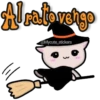
Alratovengo lil @Mycute_stickers
-

Hora de eliminar mirones @Mycute_stickers z
-
No chvia.r Privado @Mycute_stickers
Download and Install on WhatsApp
The Sticker Maker app is necessary to install this sticker pack on your WhatsApp. If you don't have it, download it from: Google Play Store and App Store. Once you have it on your phone, follow these instructions:
- Download the sticker file we provide below (it has the .wastickers extension). Locate the downloaded file on your mobile and tap it. Your device will ask you which application you want to open it with; select Sticker Maker. The app will automatically recognize the file as a new sticker pack.
- Once you see the pack inside Sticker Maker, just press the button that says "Add to My Library", then "Add to WhatsApp" and that's it! Your new stickers will be available for use in all your WhatsApp conversations.























