

Kata kata anomali
📦 The 'Kata kata anomali' pack includes 29 stickers must-have stickers. Free download to install on WhatsApp. These stickers contain phrases in Indonesian.
-
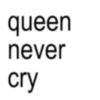
queen never cry
-
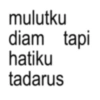
mulutku diam tapi hatiku tadarus
-
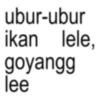
ubur-ubur ikan lele, goyangg lee
-
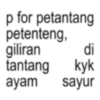
di p for petantang petenteng, giliran tantang ayam kyk sayur
-
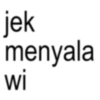
jek menyala wi
-
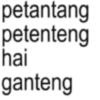
petantang petenteng hai ganteng
-
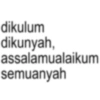
dikulum dikunyah, assalamualaikum semuanyah
-

indonesia penghasil daun salam walaikumsalam
-
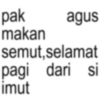
pak agus makan semut, selamat pagi dari si imut
-
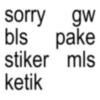
sorry gw bls pake stiker mls ketik
-

mie goreng mie kuah muahh muahhh
-
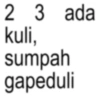
2 3 ada kuli, sumpah gapeduli
-
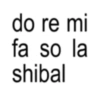
do re mi fa so la shibal
-
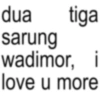
dua tiga sarung wadimor, i love u more
-
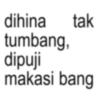
dihina tumbang, dipuji tak makasi bang
-
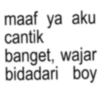
maaf ya aku cantik banget, wajar bidadari boy
-
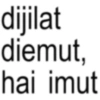
dijilat diemut, hai imut
-

ketua kecewa beratt
-
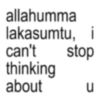
allahumma lakasumtu, i can't stop thinking about u น
-
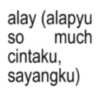
alay (alapyu SO much cintaku, sayangku)
-
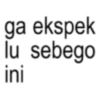
ga ekspek lu sebego ini
-
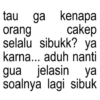
tau ga kenapa orang cakep selalu sibukk? ya karna... aduh nanti gua jelasin ya soalnya lagi sibuk
-
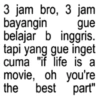
3 jam bro, 3 jam bayangin gue belajar b inggris. tapi yang gue inget cuma "if life is a movie, oh you're the best part"
-

puja puji haji jaka
-
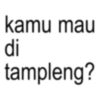
kamu mau di tampleng?
-

atuna tufuli
-
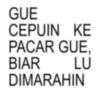
GUE CEPUIN KE PACAR GUE. BIAR LU DIMARAHIN
-
ཇ་ཇ་ཇ་ཇ་=་ ད་ ཇ་ ཇ་ ཇ་ ད་ =.=.=.=.= ད་ཇ་ ཇ་ ཇ་ ཇ་ ཇ་ཇ་ཇ་ཇ་ཇ་ ད་ ད་ ད་ ད་ ད་
-
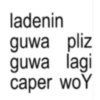
ladenin guwa pliz guwa lagi caper woY
Download and Install on WhatsApp
The Sticker Maker app is necessary to install this sticker pack on your WhatsApp. If you don't have it, download it from: Google Play Store and App Store. Once you have it on your phone, follow these instructions:
- Download the sticker file we provide below (it has the .wastickers extension). Locate the downloaded file on your mobile and tap it. Your device will ask you which application you want to open it with; select Sticker Maker. The app will automatically recognize the file as a new sticker pack.
- Once you see the pack inside Sticker Maker, just press the button that says "Add to My Library", then "Add to WhatsApp" and that's it! Your new stickers will be available for use in all your WhatsApp conversations.
Installation on WhatsApp with Sticker.ly
An easy way to add this pack is through the Sticker.ly app. If you don't have it yet, download it from: Google Play Store and App Store. Then choose one of these two simple methods:
- With Direct Link: Simply tap this link to the pack E09CWZ. If you have Sticker.ly installed, you will immediately see the stickers in the app.
- Using the Pack Code: If you prefer, you can copy the "pack code" by tapping here: and paste it into the search bar inside the Sticker.ly app.
Once inside Sticker.ly, confirm the action by tapping "Add to WhatsApp" and the stickers will be instantly sent to your WhatsApp app.
Use on Telegram
For Telegram users, installing a sticker pack is a native and extremely simple process. Just follow this link that will take you to Telegram: stickerly_E09CWZ_by_stickerly_official_bot. When the app opens, you will instantly see the pack and can add it to your library, without the need for third-party apps.























