

Anomali pantun kata-kata 🗣️
📦 The 'Anomali pantun kata-kata 🗣️' pack includes 15 stickers must-have stickers. Free download to install on WhatsApp.
-
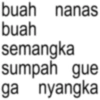
buah nanas buah semangka sumpah gue ga nyangka
-
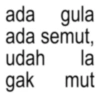
ada gula ada semut, udah la gak mut
-
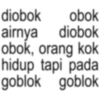
diobok airnya obok diobok obok, orang kok hidup tapi pada goblok goblok
-
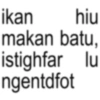
ikan hiu makan batu, istighfar lu ngentdfot
-
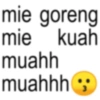
mie goreng mie kuah muahh muahhh
-
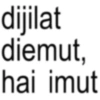
dijilat diemut, hai imut
-
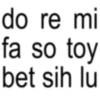
do re mi fa so toy bet sih lu
-
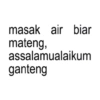
masak air biar mateng, assalamualaikum ganteng
-
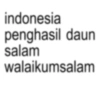
indonesia penghasil daun salam walaikumsalam
-
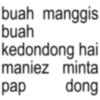
buah manggis buah kedondong hai maniez minta pap dong
-
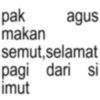
pak agus makan semut, selamat pagi dari si imut
-
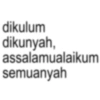
dikulum dikunyah, assalamualaikum semuanyah
-

PEPEK PEdih PEnat Kak
-
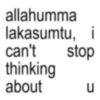
allahumma lakasumtu, i can't thinking about stop u
-
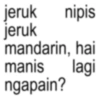
jeruk nipis jeruk mandarin, hai manis lagi ngapain?
Download and Install on WhatsApp
The Sticker Maker app is necessary to install this sticker pack on your WhatsApp. If you don't have it, download it from: Google Play Store and App Store. Once you have it on your phone, follow these instructions:
- Download the sticker file we provide below (it has the .wastickers extension). Locate the downloaded file on your mobile and tap it. Your device will ask you which application you want to open it with; select Sticker Maker. The app will automatically recognize the file as a new sticker pack.
- Once you see the pack inside Sticker Maker, just press the button that says "Add to My Library", then "Add to WhatsApp" and that's it! Your new stickers will be available for use in all your WhatsApp conversations.
Installation on WhatsApp with Sticker.ly
An easy way to add this pack is through the Sticker.ly app. If you don't have it yet, download it from: Google Play Store and App Store. Then choose one of these two simple methods:
- With Direct Link: Simply tap this link to the pack 2NCFHL. If you have Sticker.ly installed, you will immediately see the stickers in the app.
- Using the Pack Code: If you prefer, you can copy the "pack code" by tapping here: and paste it into the search bar inside the Sticker.ly app.
Once inside Sticker.ly, confirm the action by tapping "Add to WhatsApp" and the stickers will be instantly sent to your WhatsApp app.
Use on Telegram
For Telegram users, installing a sticker pack is a native and extremely simple process. Just follow this link that will take you to Telegram: stickerly_2NCFHL_by_stickerly_official_bot. When the app opens, you will instantly see the pack and can add it to your library, without the need for third-party apps.























