Munna Bhai MBBS
📦 The 'Munna Bhai MBBS' pack includes 27 stickers for any conversation. Free download to install on WhatsApp. These stickers contain phrases in Hindi.
-

THANK YOU!!!
-

BHAI ne BOLA KARNE KA, TOH KARNE KA
-

IDHAR AA SHAANE, TEREKO KAYAMAT DIKHATA Hun Me
-

APNA CIRCUIT Fuse NAHI KARNE KA, KYA?
-
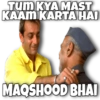
TUM KYA MAST KAAM KARTA HAI MAQSHOOD BHAI
-

Tum SAB MIL KAR APUN KO MAMU BANAYA NA
-

AARE BHAI Tension KAYEKO LETA HAI
-

NAHIII
-

YEH TERE LIYE NAHI HAI RE MAMU
-

1
-

YEH JAROORI HAI KYA?
-

USKA Tension NAHI HAI APUN KO
-

HAN... REALLY!!! RASCAL
-

кение ко АЈеев LAG RAHA HAI
-
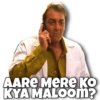
AARE MERE KO KYA MALOom?
-

KHUDA ne CHAHA TOH SAB THIK HO JAYEGA
-

wali KYA HUA BHAI !!!
-
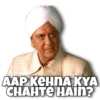
AAP KEHNA KYA CHAHTE HAIN?
-

PUCHH NA... PUCHH
-

MAA KASAM
-

TUM PAGAL HO
-

Hmm... YOU ARE RIGHT
-
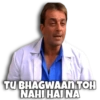
TU BHAGWAAN TOH NAHI HAI NA
-

AISE NAHI HOTA
-

KYA KARE, AB HO GAYA TOH HO GAYA
-
Hmm.. TU SACH BOLTA HAI
-
BAHAT KUCHH LIFE me FIRST TIME HOTA HAI RE
Download and Install on WhatsApp
The Sticker Maker app is necessary to install this sticker pack on your WhatsApp. If you don't have it, download it from: Google Play Store and App Store. Once you have it on your phone, follow these instructions:
- Download the sticker file we provide below (it has the .wastickers extension). Locate the downloaded file on your mobile and tap it. Your device will ask you which application you want to open it with; select Sticker Maker. The app will automatically recognize the file as a new sticker pack.
- Once you see the pack inside Sticker Maker, just press the button that says "Add to My Library", then "Add to WhatsApp" and that's it! Your new stickers will be available for use in all your WhatsApp conversations.
Installation on WhatsApp with Sticker.ly
An easy way to add this pack is through the Sticker.ly app. If you don't have it yet, download it from: Google Play Store and App Store. Then choose one of these two simple methods:
- With Direct Link: Simply tap this link to the pack 7NRLSC. If you have Sticker.ly installed, you will immediately see the stickers in the app.
- Using the Pack Code: If you prefer, you can copy the "pack code" by tapping here: and paste it into the search bar inside the Sticker.ly app.
Once inside Sticker.ly, confirm the action by tapping "Add to WhatsApp" and the stickers will be instantly sent to your WhatsApp app.