

Bocah kematian
📦 The 'Bocah kematian' pack includes 19 stickers freshly updated. Free download to install on WhatsApp. These stickers contain phrases in Indonesian.
-

KAMU GAPAPA? KAMU GAPAPA? GAPAPA DARI MANA ORANG UDAH HAMPIR GILA
-

MAUNYA GIMANA MAUNYA GIMANA GW MAUNYA JADI PACAR LU ANJING
-

JOESONGHAMNIDA JOESONGHAMNIDA @convont TIADA MAAF BAGIMU
-

WDYT WDYT GW GAMAU MIKIR ANJING
-

be happy be happy lu yang bikin gw sedih kontol
-

LO PILIH DIEM ATAU GUE SAYANG?
-

idgitaf was wrong gue masih marah ya anjir sama lu
-

love language lu apa? love language lu apa? STAR STARJP gatau anjir soalnya gue diapain aja baper
-

"bojo kulo bojo kulo" BOJONE WONG COK
-

minal aidzin wal faidzin mohon maaf terlanjur nyaman sama kamu
-

me and who me and who you and therapist
-

apa cuma gw, apa cuma gw iya cuma lu doang kontol
-
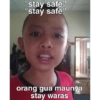
stay safe" "stay safe" orang gua maunya stay waras
-

i can fix him i can fix her lo tuh bukan tempat rehabilitasi berjalan tolol
-

if we never try if we never try belum di try aja udah nice try
-

wake me up wake me up lu ga bangun juga ga ada yang peduli
-

IF YOU KNOW IF YOU KNOW I DON'T KNOW ANJING
-

KAMU TIDUR AJA SUSAH @Askrifess APALAGI BAHAGIA
-

NEW YEAR NEW ME NEW YEAR NEW ME NEW YEAR NEW PROBLEM AJG
Download and Install on WhatsApp
The Sticker Maker app is necessary to install this sticker pack on your WhatsApp. If you don't have it, download it from: Google Play Store and App Store. Once you have it on your phone, follow these instructions:
- Download the sticker file we provide below (it has the .wastickers extension). Locate the downloaded file on your mobile and tap it. Your device will ask you which application you want to open it with; select Sticker Maker. The app will automatically recognize the file as a new sticker pack.
- Once you see the pack inside Sticker Maker, just press the button that says "Add to My Library", then "Add to WhatsApp" and that's it! Your new stickers will be available for use in all your WhatsApp conversations.
Installation on WhatsApp with Sticker.ly
An easy way to add this pack is through the Sticker.ly app. If you don't have it yet, download it from: Google Play Store and App Store. Then choose one of these two simple methods:
- With Direct Link: Simply tap this link to the pack OJ12K4. If you have Sticker.ly installed, you will immediately see the stickers in the app.
- Using the Pack Code: If you prefer, you can copy the "pack code" by tapping here: and paste it into the search bar inside the Sticker.ly app.
Once inside Sticker.ly, confirm the action by tapping "Add to WhatsApp" and the stickers will be instantly sent to your WhatsApp app.
Use on Telegram
For Telegram users, installing a sticker pack is a native and extremely simple process. Just follow this link that will take you to Telegram: stickerly_OJ12K4_by_stickerly_official_bot. When the app opens, you will instantly see the pack and can add it to your library, without the need for third-party apps.























