

GROGU
📦 The 'GROGU' pack includes 30 stickers easy to install. Free download to install on WhatsApp.
-

STICKERSMN * Buenas Noches
-

Dame 5 Minutes STICKERSMN
-

Good Morning STICKERSMN
-

Tranquilo Todo Estará Bien STICKERSMN
-

те Estoy Vigilande STICKERSMN
-

STICKERSMN Quieres?
-

STICKERSMN Tema Carmate
-

STICKERSMN Tengo Miedo
-

STICKERSMN Hora Del Banito
-

STICKERSMN Te Quiere
-

FRO T OPS Elloy ROOT OOPS STICKERSMN Buenos Días
-

STICKERSMN HID ULTAGE 80⁰ Te Ame
-

STICKERSMN Sin Mi No Vas
-

STICKERSMN Buenas Noches
-

w w adidas STICKERSMN { Feliz cumpleaños
-

CINEMA CINEMA 1234147 STICKERSMN
-

STICKERSMN El Lunes Empiezo La Dieta
-
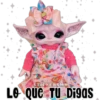
am STICKERSMN LO Que Tu Digas
-
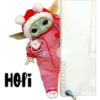
HOPi STICKERSMN
-

Buen-Provecho STICKERSMN WITH MY NT MESS STAR WAR
-

STICKERSMN
-

NO Me Morestes STICKERSMN
-

STICKERSMN 3P 114 10 S 1 +00 60 6 .
-

NO Puedo Toy Chiquita STICKERSM
-

love STICKERSMN
-

+ 4 STICKERSMN Te Tengo un Chisme
-

HAPPY 3! BIRTHDAY $13 alc www Happy Birthday STICKERSMN
-

Estoy Hart@ De La Estudiazion PLUS Maton 3 STICKERSMN 17.112
-
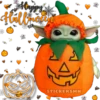
Hayjay Hilthoven 2 밥 STICKERSMN
-

Dende Quisiera Estar contig0 STICKERSMN
Download and Install on WhatsApp
The Sticker Maker app is necessary to install this sticker pack on your WhatsApp. If you don't have it, download it from: Google Play Store and App Store. Once you have it on your phone, follow these instructions:
- Download the sticker file we provide below (it has the .wastickers extension). Locate the downloaded file on your mobile and tap it. Your device will ask you which application you want to open it with; select Sticker Maker. The app will automatically recognize the file as a new sticker pack.
- Once you see the pack inside Sticker Maker, just press the button that says "Add to My Library", then "Add to WhatsApp" and that's it! Your new stickers will be available for use in all your WhatsApp conversations.























