

Pentol
📦 The 'Pentol' pack includes 30 stickers easy to install. Free download to install on WhatsApp and Telegram. These stickers contain phrases in Indonesian.
-

GAJI NUMPANG LEWAT KAYA MANTAN...
-

BAAA... ...COOOT!!
-

BANGSAT YA, ANDA.
-

INI KERJA APA DIKERJAIN SIH?!
-

PERMISI, ANU, MONMAAP, HARI INI LIBUR.
-

GAJI NUMPANG LEWAT KAYA MANTAN...
-

듯 BANGSAT YA, ANDA.
-

CATET DULU
-
![INGET,
MASI MISKIN.
OT]](https://s37.stickerfan.net/yst-adz/stickerfan_d9c0706614552a5dcd693b8022a5fa8e_t.webp)
INGET, MASI MISKIN. OT]
-

LHAAA KOCAK
-

KUSUKA SEKALI DRAMA IMI
-

BOS SELALU BENAR! RULES 100
-

BODO AMAT, LAGI PURA-PURA MATI 13
-

GHIBAH YUU.... MSG
-

KEBIASAAN... D
-

KARENA DEADLINE TERUS JALAN AKU TETAP HARUS KERJA!
-

MELINDUNGI DIRI DARI BACOTMY
-

KETIKA MIMPI PUN TETAP KERJA
-
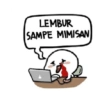
LEMBUR SAMPE MIMISAN
-

GUA READ DOANG, MAMPUS LU!!
-

APA? REVISI LAGI? SUDAH BIASA
-

WADUH,TADI UDAH 由 ABSEN BLON YA... www.
-

TELEN AJA! 2
-
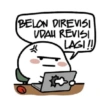
BELON DIREVISI UDAH REVISI LAGI!!
-

KERJA KOK GINI AMAAAT...
-

YOGA UNTUK MENENANGKAN PIKIRANKU DARI BACOTMU @ 23
-

TERHARU AKUTU T
-

MARAH... PADA... KEADAAN........
-

MENGISTIRAHAT- KAN OTAKKU
-

JANGAN TEKAN AKU...
Download and Install on WhatsApp
The Sticker Maker app is necessary to install this sticker pack on your WhatsApp. If you don't have it, download it from: Google Play Store and App Store. Once you have it on your phone, follow these instructions:
- Download the sticker file we provide below (it has the .wastickers extension). Locate the downloaded file on your mobile and tap it. Your device will ask you which application you want to open it with; select Sticker Maker. The app will automatically recognize the file as a new sticker pack.
- Once you see the pack inside Sticker Maker, just press the button that says "Add to My Library", then "Add to WhatsApp" and that's it! Your new stickers will be available for use in all your WhatsApp conversations.
Use on Telegram
For Telegram users, installing a sticker pack is a native and extremely simple process. Just follow this link that will take you to Telegram: stickerly_DXFJAI_by_stickerly_official_bot. When the app opens, you will instantly see the pack and can add it to your library, without the need for third-party apps.























