

Error Pop-Up 1
📦 The 'Error Pop-Up 1' pack includes 11 stickers easy to install. Free download to install on WhatsApp.
-
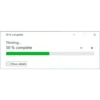
50% complete Thinking... 50 % complete More details || X
-
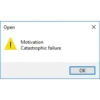
Open ! Motivation Catastrophic failure OK
-
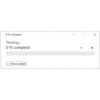
0% complete Thinking... 0% complete More details || X
-
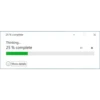
25 % complete Thinking... 25% complete More details || X
-
Open | Friends Catastrophic failure OK
-
Open | Time Management Critical Error OK
-
Open ! Catastrophic failure OK
-
100 % complete Thinking... 100 % complete More details 11 X
-
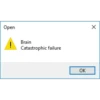
Open ! Brain Catastrophic failure OK
-
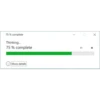
75 % complete Thinking... 75% complete More details || X
-
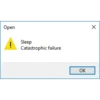
Open ! Sleep Catastrophic failure OK
Download and Install on WhatsApp
The Sticker Maker app is necessary to install this sticker pack on your WhatsApp. If you don't have it, download it from: Google Play Store and App Store. Once you have it on your phone, follow these instructions:
- Download the sticker file we provide below (it has the .wastickers extension). Locate the downloaded file on your mobile and tap it. Your device will ask you which application you want to open it with; select Sticker Maker. The app will automatically recognize the file as a new sticker pack.
- Once you see the pack inside Sticker Maker, just press the button that says "Add to My Library", then "Add to WhatsApp" and that's it! Your new stickers will be available for use in all your WhatsApp conversations.























