

Meme chat
📦 The 'Meme chat' pack includes 17 stickers with great variety. Free download to install on WhatsApp. These stickers contain phrases in Indonesian.
-

Y 05:14 ✓ aku lg g mut 05:15 km mau aku bunuh 05:15 ✓/
-
siapa ini ga sopan ajg
-
X Goblol 15:15 Yu know? 15:15 Is goblok tolol 15:15 Astagfirullah 15:15 O
-
19.44 19.43 19.43 19.43 beneran capek bgt kali ini rasanya tu kaya apaya tukeran jiwa deh biar bisa tau
-
Kok jadi aku yg tolol 19.18 ✔ Males 19.19 Ih 19.19 ✓ Gak lepel 19.19
-
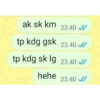
ak sk km 23.40 ✓/ tp kdg gsk 23.40 ✓ tp kdg sk lg 23.40 ✓ hehe 23.40 ✓/
-
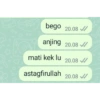
bego 20.08 ✔ // anjing 20.08 mati kek lu 20.08 ✔/ astagfirullah 20.08 ✔
-
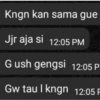
Kngn kan sama gue Jjr aja si 12:05 PM Gush gengsi 12:05 P Gw tau I kngn 12:05 F
-
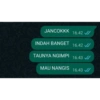
JANCOKKK 16.42 ✔/ INDAH BANGET 16.42 ✓/ TAUNYA NGIMPI 16.43 ✔ MAU NANGIS 16.43 ✓/
-
halah. 00:28 lo kayak tai, sumpah 00:28 bikin gue emosi 00:28 lebih baik, berantem. 00:28 YANG SOPAN KALO NGOMONG 00:28 A
-

.... Indosat Ooredoo Spotify online 17:28 95 halah move on move on tai anjing lu aja puterin lagu ttg dia mulu 17:26 17:27 #99⁰ 70%
-
ANJ LUCU BGT BUANGKE GABISA AKU COK BISA GILA 19.33 €/ 19.33 ✓/ 19.33 €/ 19.33 ✔
-
aduh 21.27 ✔ cakep bnget bangsat 21.27 nikah yuuk??! 21.27 ✓ mau pake adat apa?? 21.27 ✔
-
Apa sih lu Prik 14.20 Tiba² ngechat gitu 14.21 Tapi lucu anjing 14.21 14.20
-
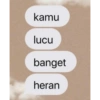
kamu lucu banget heran
-
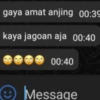
gaya amat anjing 00:39 kaya jagoan aja 00:40 00:40 Message
-
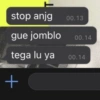
stop anjg gue jomblo tega lu ya + 00.13 00.14 00.14
Download and Install on WhatsApp
The Sticker Maker app is necessary to install this sticker pack on your WhatsApp. If you don't have it, download it from: Google Play Store and App Store. Once you have it on your phone, follow these instructions:
- Download the sticker file we provide below (it has the .wastickers extension). Locate the downloaded file on your mobile and tap it. Your device will ask you which application you want to open it with; select Sticker Maker. The app will automatically recognize the file as a new sticker pack.
- Once you see the pack inside Sticker Maker, just press the button that says "Add to My Library", then "Add to WhatsApp" and that's it! Your new stickers will be available for use in all your WhatsApp conversations.
Installation on WhatsApp with Sticker.ly
An easy way to add this pack is through the Sticker.ly app. If you don't have it yet, download it from: Google Play Store and App Store. Then choose one of these two simple methods:
- With Direct Link: Simply tap this link to the pack YZ8LKW. If you have Sticker.ly installed, you will immediately see the stickers in the app.
- Using the Pack Code: If you prefer, you can copy the "pack code" by tapping here: and paste it into the search bar inside the Sticker.ly app.
Once inside Sticker.ly, confirm the action by tapping "Add to WhatsApp" and the stickers will be instantly sent to your WhatsApp app.
Use on Telegram
For Telegram users, installing a sticker pack is a native and extremely simple process. Just follow this link that will take you to Telegram: stickerly_YZ8LKW_by_stickerly_official_bot. When the app opens, you will instantly see the pack and can add it to your library, without the need for third-party apps.























