TikTok Pups
📦 A playful bunch of viral dogs with big reactions and goofy charm. For sharing reactions, cute moments, and meme-like dog moods. The 'TikTok Pups' pack includes 15 stickers ready to share. Free download to install on WhatsApp.
-

😴 Sleepy Pup
A sleepy black-and-white dog resting with eyes half closed. When you're tired and done for the day.
-

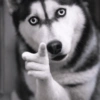
🤨 Side-Eye Pup
A black-and-white dog giving a cautious side-eye. For suspicion, hesitation, or judging a situation.
-


😠 Tiny Grump
A fluffy cream puppy with a grumpy, determined look. When you're annoyed but still adorable.
-

❄️ Snowy Flop
A person in winter clothes bending down to a dog in the snow. For dramatic collapse, exhaustion, or playful fall vibes.
-

👀 Looking Back
A corgi glancing back over the shoulder from a couch. For when something behind you catches your attention.
-

🍎 Apple Standoff
A puppy staring at red apples with serious focus. For intense focus, temptation, or choosing sides.
-

🍽️ Tiny Taste Test
A black-and-white puppy reaching toward a held snack. For cravings, sampling, or asking for a bite.
-

💨 The Plunge
A white dog leaping toward the camera in a fisheye view. For dramatic entrance, surprise, or zooming in on excitement.
-

😊 Soft Smile
A golden retriever looking calmly into the camera. For gentle, friendly, or reassuring vibes.
-

😛 Tongue Out
A playful dog with tongue out, looking a bit goofy. For goofy fun, teasing, or silly energy.
-

😳 Big Eyes
A tiny dog with huge eyes staring straight ahead. For shock, curiosity, or peak cuteness.
-

😱 Shocked Pug
A pug with wide eyes and a startled expression. For sudden surprise or disbelief.
-

😌 Lazy Couch
A relaxed dog lounging across an armchair. For lounging, doing nothing, or pure chill mode.
-

🔍 Close-Up Snout
A black-and-white dog leaning close into a fisheye lens. For extreme close-up drama or nosy curiosity.
-

😄 Happy Flip
A white dog rolling onto its back with playful joy. For playful energy, celebration, or a silly win.
Download and Install on WhatsApp
The Sticker Maker app is necessary to install this sticker pack on your WhatsApp. If you don't have it, download it from: Google Play Store and App Store. Once you have it on your phone, follow these instructions:
- Download the sticker file we provide below (it has the .wastickers extension). Locate the downloaded file on your mobile and tap it. Your device will ask you which application you want to open it with; select Sticker Maker. The app will automatically recognize the file as a new sticker pack.
- Once you see the pack inside Sticker Maker, just press the button that says "Add to My Library", then "Add to WhatsApp" and that's it! Your new stickers will be available for use in all your WhatsApp conversations.
Installation on WhatsApp with Sticker.ly
An easy way to add this pack is through the Sticker.ly app. If you don't have it yet, download it from: Google Play Store and App Store. Then choose one of these two simple methods:
- With Direct Link: Simply tap this link to the pack 2JC6I1. If you have Sticker.ly installed, you will immediately see the stickers in the app.
- Using the Pack Code: If you prefer, you can copy the "pack code" by tapping here: and paste it into the search bar inside the Sticker.ly app.
Once inside Sticker.ly, confirm the action by tapping "Add to WhatsApp" and the stickers will be instantly sent to your WhatsApp app.