

Boboiboy B. Arab
📦 The 'Boboiboy B. Arab' pack includes 30 stickers fun and expressive. Free download to install on WhatsApp.
-

كيف حالك؟
-

-

UKAN هيا نستريح
-

4 TM لن أستسلم!
-

أهلا وسهلا!
-

شكرا لك!
-

عفوا إلا مشكلة
-

A معذرةً
-

شفاك الله
-

نراك غدا!
-

RST AID KIT شفاك الله 0
-

هذا سهل جدا سأتولى هذا الأمر
-

بالتوفيق والنجاح mansto Bobobou MonsteChanne
-

AIR @Boso Boy @BoBo Bo mansta Mondothermal
-

• Coklat Panas Kopi Ais Kopi Panas Roti Ais Krim Coklat أحسنت أيها الشاب!
-

Talay
-

هل أنت جاد؟
-

Ber • Coklat Bis Coklat Panas - Kopi Bis Kopi Pana Ockow Kek Coklat Roti Coklat Ais Krim Coklat انتظر لحظة
-

رائع جدا!
-

Coklat Pan Kopi Ais Kopi Panas Ais Krim Coklat أنت ممتاااز
-

أنا آسف
-

لا بأس! ●REC CetakRow
-

لا تزعجني!
-

يا إلهي
-

LIN
-
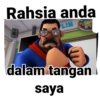
Rahsia anda LIN dalam tangan saya
-

أسرارك LIN في قبضتي
-

Tarikh : 25/5 استغفر الله العظيم
-

انتهى أمرنا
-

لدي فكرة رائعة!
Download and Install on WhatsApp
The Sticker Maker app is necessary to install this sticker pack on your WhatsApp. If you don't have it, download it from: Google Play Store and App Store. Once you have it on your phone, follow these instructions:
- Download the sticker file we provide below (it has the .wastickers extension). Locate the downloaded file on your mobile and tap it. Your device will ask you which application you want to open it with; select Sticker Maker. The app will automatically recognize the file as a new sticker pack.
- Once you see the pack inside Sticker Maker, just press the button that says "Add to My Library", then "Add to WhatsApp" and that's it! Your new stickers will be available for use in all your WhatsApp conversations.
Installation on WhatsApp with Sticker.ly
An easy way to add this pack is through the Sticker.ly app. If you don't have it yet, download it from: Google Play Store and App Store. Then choose one of these two simple methods:
- With Direct Link: Simply tap this link to the pack V45LPN. If you have Sticker.ly installed, you will immediately see the stickers in the app.
- Using the Pack Code: If you prefer, you can copy the "pack code" by tapping here: and paste it into the search bar inside the Sticker.ly app.
Once inside Sticker.ly, confirm the action by tapping "Add to WhatsApp" and the stickers will be instantly sent to your WhatsApp app.























