HAPPY TEACHERS DAY
📦 The 'HAPPY TEACHERS DAY' pack includes 15 stickers high quality. Free download to install on WhatsApp.
-

T-TALENT E-EDUCATION A-ATTITUDE C-CHARACTER H-HARMONY E-EFFICIENT R-RELATION HAPPY TEACHERS DAY
-
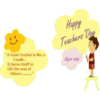
"A Good Teacher is like a Candle... It burns itself to Life the way of Others.........." Happy Teachers Day Sept 5th A
-

Happy Teacher 8 8 8 6 Day School
-

TEACHER TAKES A HAND MIND OPENS TOUCHES HEART me dreamst me dreams
-

TEACHER one is the Highest Privilege one is the Best Blessing Happy Teacher's Day! Being Harsing
-

"You Have to Grow From the Inside Out. None Can Teach You, None Can Make You Spiritual. There is No Other Teacher But Your Own Soul." 39 - Swami Vivekananda LATESTLY
-

उन दोस्तों को भी Happy Teacher's Day जिन्होंने उल्टे सीधे जान देकर जिंदगी झंड कर दी। www.w3mirchi.com
-

शिक्षक मोमबत्ती की तरह होते हैं, वे खुद को जला कर हम स्टूडेंट्स की ज़िन्दगी रौशन कर देते हैं. Happy Teachers Day Achhikhabar.Com
-

The Best Teachers teach from the HEART, not from the BOOK HAPPY TEACHERS DAY
-
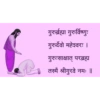
गुरुर्ब्रह्मा गुरुर्विष्णुः गुरुर्देवो महेश्वरः । गुरुःसाक्षात् परब्रह्म तस्मै श्रीगुरवे नमः ॥
-

Happy Teacher's Day w image 16: A teacher's purpose is not to create Students in her own image. But to develop students Who can create their own image. Thanks for being that teacher. Happy Teachers' Day
-

NIGHT SCHOOL TEACHER
-

BEST TEACHER EVER
-

WORLD'S INSPIRATION
-

HAPPY TEACHERS DAY 2020
Download and Install on WhatsApp
The Sticker Maker app is necessary to install this sticker pack on your WhatsApp. If you don't have it, download it from: Google Play Store and App Store. Once you have it on your phone, follow these instructions:
- Download the sticker file we provide below (it has the .wastickers extension). Locate the downloaded file on your mobile and tap it. Your device will ask you which application you want to open it with; select Sticker Maker. The app will automatically recognize the file as a new sticker pack.
- Once you see the pack inside Sticker Maker, just press the button that says "Add to My Library", then "Add to WhatsApp" and that's it! Your new stickers will be available for use in all your WhatsApp conversations.