

Me dicen esperaba mas de ti.
📦 The 'Me dicen esperaba mas de ti.' pack includes 18 stickers high quality. Free download to install on WhatsApp. These stickers contain phrases in Spanish.
-

Me dicen: "esperaba más de ti" wey, me dan miedo los juegos de Six Flags
-
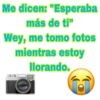
Me dicen: "Esperaba más de ti" Wey, me tomo fotos mientras estoy llorando.
-

Me dicen: "esperaba más de ti" wey nunca me di cuenta que Maria de todos los ángeles y doña lucha eran la misma
-

ME DICEN! WESPERABA MÁS DE Au WEY NI SE NADAR.
-
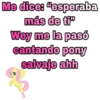
Me dice: "esperaba más de ti" Wey me la pasó cantando pony salvaje ahh
-
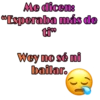
Me dicen: Esperaba más de ti⁹⁹ Wey no sé ni bailar.
-
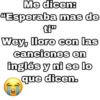
Me dicen: "Esperaba mas de ti™ Wey, lloro con las canciones en inglés y ni se lo que dicen.
-

Me dicen: "Esperaba más de Wey, confundo el compás con el transportador.
-

Me dicen: "Esperaba más de ti... Wey busco una relación seria en pleno 2019.
-

Me dicen "esperaba más de Wey cobijo a mis peluches por que pienso que tienen frio.
-
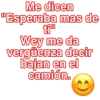
Me dicen "Esperaba mas de ti" Wey me da vergüenza decir bajan en el camión.
-

Me dicen: "esperaba más de Wey, no crezco desde 6to de primaria.
-
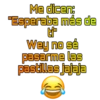
Me dicen: "Esperaba más de Ef Wey no sé pasarme las pastillas jajaja
-

Me dicen "esperaba más de ti" JAJAJAJAJ wee, busco algo serio en pleno 2019
-

Me dicen: "esperaba más de tiw Weeey aún tengo la esperanza de casarme con Cornelio Vega.
-
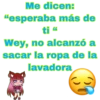
Me dicen: "esperaba más de ti " Wey, no alcanzó a sacar la ropa de la lavadora
-
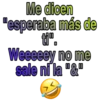
Me dicen "esperaba más de Weeeeey no me sale ni la "&"
-
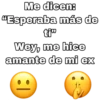
Me dicen: "Esperaba más de ti" Wey, me hice amante de mi ex
Download and Install on WhatsApp
The Sticker Maker app is necessary to install this sticker pack on your WhatsApp. If you don't have it, download it from: Google Play Store and App Store. Once you have it on your phone, follow these instructions:
- Download the sticker file we provide below (it has the .wastickers extension). Locate the downloaded file on your mobile and tap it. Your device will ask you which application you want to open it with; select Sticker Maker. The app will automatically recognize the file as a new sticker pack.
- Once you see the pack inside Sticker Maker, just press the button that says "Add to My Library", then "Add to WhatsApp" and that's it! Your new stickers will be available for use in all your WhatsApp conversations.























