

pa' ligar
📦 The 'pa' ligar' pack includes 30 stickers for any conversation. Free download to install on WhatsApp.
-

¿Buscas algo serio? Soy Choogomila
-

¿Ya merezco una oportunidad no crees? Soy Choogomila
-

Ya no soy como antes, tratame y verás www Soy Choogomila
-

Si nos veríamos bien juntos, ¿apoco no? Soy Choogomila
-

Están bien bonitos tus ojos: :) Soy Choogomila
-

Te invito a desayunar - me jaja A Soy Choogomila
-

No manches, jamás sería igual que tu ex Soy Choogomila
-

Te estás convirtiendo en mi todo Soy Choogomila
-

¿Sales con alguien? Soy Choogoming
-

No estoy carita, pero las risas no te van a faltar TV Soy Choogomila
-

Si me das un beso te regalo una paleta Soy Choogomila
-

¿Me aceptas un salida? Soy Choogomila
-

No es mi culpa que me encantes, coquet? Soy Choogomila
-

Aunque me ignores no dejas de gustarme Soy Choogomila
-
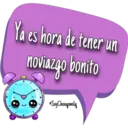
Ya es hora de tener un noviazgo bonito ) Soy Choogomila
-

Podemos intentarlo si tu quieres Soy Choogomila
-

Son rumores, yo no soy así Soy Choogomila
-

No es por nada, pero si valgo la pena Soy Choogomila
-

Soy tu fan bebé jaja SoyChoogomila
-

Sin p2 me dejo dominar he Soy Choogomila
-

Jugamos a que somos novios? Soy Choogomila
-

Me la vivo hablando de ti jaja Soy Choogomila
-

FAL Aquite espero pa cuand decidas quererme Soy Choogomila
-

Que bonitos cachetes jaja Soy Choogomila
-

Ya sal conmigo, yo le pido permiso a tu mamá Soy Choogomila
-

Yo te ayudo a sanar ese corazoncito Soy Choogomila
-

Si soy tóxico, pero de los bonitos Soy Choogomila
-

Me encantó salir contigo hoy Soy Choogomila
-

O sea no captas que me gustas? Soy Choogomila
-

Que lindos labios, ¿los puedo besar? 3 Soy Choogomila
Download and Install on WhatsApp
The Sticker Maker app is necessary to install this sticker pack on your WhatsApp. If you don't have it, download it from: Google Play Store and App Store. Once you have it on your phone, follow these instructions:
- Download the sticker file we provide below (it has the .wastickers extension). Locate the downloaded file on your mobile and tap it. Your device will ask you which application you want to open it with; select Sticker Maker. The app will automatically recognize the file as a new sticker pack.
- Once you see the pack inside Sticker Maker, just press the button that says "Add to My Library", then "Add to WhatsApp" and that's it! Your new stickers will be available for use in all your WhatsApp conversations.























