
hey
📦 A funny sticker pack with expressive meme-style reactions, animals, and characters for playful chats. Use these stickers to react with humor, sarcasm, surprise, and playful mood in social chats. The '😎 TikTok Reactions 4 😜' pack includes 15 stickers easy to install. Free download to install on WhatsApp and Telegram.
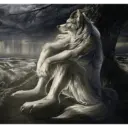
🐺 Melancholy wolf
A lonely wolf sitting in the rain with a calm, reflective mood. Use when feeling sad, thoughtful, or needing quiet support.

😂 Laughing red bird
A bright, teary-eyed bird laughing in a burst of golden energy. Use for uncontrollable laughter, hype, or reacting to something hilarious.
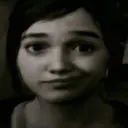
😏 Sassy smirk girl
A grayscale close-up of a girl giving a sly, unimpressed smirk. Use to show sarcasm, side-eye, or a dry comeback.

🖋️ Naughty writer
A mischievous man writing beside candlelight with a sly grin. Use for plotting, scheming, or pretending to be inspired.
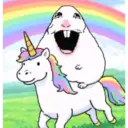
🌈 Rainbow unicorn ride
A laughing unicorn-riding meme creature in a colorful rainbow field. Use for pure joy, absurd excitement, or cheerful silliness.
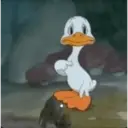
🦆 Classic duck dance
A vintage cartoon duck posing mid-dance with a playful expression. Use for playful dancing, teasing, or goofy confidence.
🖕 Rude bunny
A white rabbit glaring at the viewer and flipping the middle finger. Use only for rude joking, rebellion, or strong attitude.

💎 Crystal blue bird
A sparkling blue bird face with huge teary eyes and a glowing grin. Use for happy tears, celebration, or sparkling excitement.
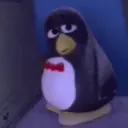
😑 Bored penguin
A sleepy, unimpressed penguin in a hoodie sitting with a tired stare. Use when you are bored, done, or not impressed.

😐 Disappointed doll
A serious doll-like boy rubbing his hands with a tense, unimpressed look. Use for awkward silence, disappointment, or restrained reaction.
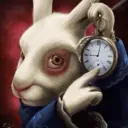
⏰ Rabbit with clock
A white rabbit holding a pocket watch and pointing to it with a stern look. Use when reminding about time, deadlines, or being late.
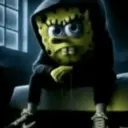
👻 Spooky sponge
A hooded sponge-like character sitting in a dark room with a creepy stare. Use for spooky mood, eerie silence, or creepy jokes.

😎 Skater minion
A cool minion leaning on a wall with a hoverboard and a laid-back pose. Use for laid-back confidence, cool attitude, or casual flexing.
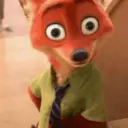
😳 Shock fox
A wide-eyed fox in a shirt and tie staring in surprise. Use for sudden surprise, disbelief, or a shocked reaction.

😴 Hidden sloth
A sleepy sloth peeking from behind leaves with a sly, half-lidded stare. Use for sneaky watching, quiet judgment, or low-energy curiosity.
The Sticker Maker app is necessary to install this sticker pack on your WhatsApp. If you don't have it, download it from: Google Play Store and App Store . Once you have it on your phone, follow these instructions:
An easy way to add this pack is through the Sticker.ly app. If you don't have it yet, download it from: Google Play Store and App Store . Then choose one of these two simple methods:
Once inside Sticker.ly, confirm the action by tapping "Add to WhatsApp" and the stickers will be instantly sent to your WhatsApp app.
For Telegram users, installing a sticker pack is a native and extremely simple process. Just follow this link that will take you to Telegram: stickerly_513SVJ_by_stickerly_official_bot . When the app opens, you will instantly see the pack and can add it to your library, without the need for third-party apps.