Political ACYJJJ
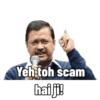
📦 The 'Political ACYJJJ' pack includes 30 stickers high quality. Free download to install on WhatsApp. These stickers contain phrases in Hindi.
-

Agar hum kare INDRA to kare kya bole JOKE to bole kya
-

Thodi toh PODI TOHMARYADA RAKHI maryada rakhiye sir
-

Aloo dalo sona nikalo
-

We believe in calm discussions.
-

The nation wants to know!
-

Darr ka maahol hai!
-

Ek tarah se desh ke liye kurbani dedi hai aapne!
-

Tukde tukde gang chief!
-

Fake news!
-

Aar Paar ki Zordar Behas!
-

Koi hai re? Aarti ki thali lao
-

Ichadhari hindu!
-

Masjid ka naam bhagwan vishnu ke naam par rakh dunga!
-

Itni takleef hai toh, Pakistan jao!
-

Saare sath+ budhe pagla, gaye hai!
-

Pakistan jao!
-

Vikas ke Papa
-

Begusarai mein Modi Ji ke liye vote nai karne!
-

Aache din! Aane wale hain.
-

WAAH MODI JI WAAH
-
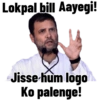
Lokpal bill Aayegi! Jisse hum logo Ko palenge!
-

-
-

-
-

-

-
-

-
Download and Install on WhatsApp
The Sticker Maker app is necessary to install this sticker pack on your WhatsApp. If you don't have it, download it from: Google Play Store and App Store. Once you have it on your phone, follow these instructions:
- Download the sticker file we provide below (it has the .wastickers extension). Locate the downloaded file on your mobile and tap it. Your device will ask you which application you want to open it with; select Sticker Maker. The app will automatically recognize the file as a new sticker pack.
- Once you see the pack inside Sticker Maker, just press the button that says "Add to My Library", then "Add to WhatsApp" and that's it! Your new stickers will be available for use in all your WhatsApp conversations.
Installation on WhatsApp with Sticker.ly
An easy way to add this pack is through the Sticker.ly app. If you don't have it yet, download it from: Google Play Store and App Store. Then choose one of these two simple methods:
- With Direct Link: Simply tap this link to the pack ACYJJJ. If you have Sticker.ly installed, you will immediately see the stickers in the app.
- Using the Pack Code: If you prefer, you can copy the "pack code" by tapping here: and paste it into the search bar inside the Sticker.ly app.
Once inside Sticker.ly, confirm the action by tapping "Add to WhatsApp" and the stickers will be instantly sent to your WhatsApp app.