Jangan ya dek ya
📦 The 'Jangan ya dek ya' pack includes 16 stickers high quality. Free download to install on WhatsApp. These stickers contain phrases in Indonesian.
-

Pernah sengaja gk bales chat pacarnya gak dek? Jangan ya dek ya! Pwetty koala
-

Pernah bercandain cewek pas pms belum dek? Jangan ya dek ya! Pwetty koala
-

Dah tau beda agama, masih diterusin Jangan ya dek ya! Pwetty koala
-
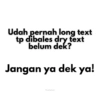
Udah pernah long text tp dibales dry text belum dek? Jangan ya dek ya! Pwetty koala
-

Pernah naksir sama orang friendly belum dek? Jangan ya dek ya! Pwettykoala
-

Jangan pernah jatuh hati sama cowo virtual apalagi di tele yaa Jangan ya dek ya! Bahaya ya dek ya Pwetty koala
-

Udah tau cuma friendzone, tapi masih ngarep jadian Jangan ya dek ya! Pwettykoala
-

Pernah excited sendirian gak dek? Jangan ya dek ya! Pwetty koala
-

Udah tau umur makin tua, malah HTS-an Jangan ya dek ya! Pwetty koala
-

Pernah manggil sayang tapi belum jadian gk dek? Jangan ya dek ya! Pwetty koala
-

Dia bilang sayang, tp ga pernah excited apapun tentang kamu? Jangan ya dek ya! Pwetty koala
-

Cemburu tapi belum jadian? Jangan ya dek ya! Pwetty koala
-

Udah pernah maksa pinjol demi gengsi belum dek? Jangan ya dek ya! Pwetty koala
-

Pernah dikasih janji palsu belum dek? Jangan ya dek ya! Pwetty koala
-

Nurunin standar karena kesepian? Jangan ya dek ya! Pwetty koala
-

Masukin nama dia di skripsi? Jangan ya dek ya! Pwetty koala
Download and Install on WhatsApp
The Sticker Maker app is necessary to install this sticker pack on your WhatsApp. If you don't have it, download it from: Google Play Store and App Store. Once you have it on your phone, follow these instructions:
- Download the sticker file we provide below (it has the .wastickers extension). Locate the downloaded file on your mobile and tap it. Your device will ask you which application you want to open it with; select Sticker Maker. The app will automatically recognize the file as a new sticker pack.
- Once you see the pack inside Sticker Maker, just press the button that says "Add to My Library", then "Add to WhatsApp" and that's it! Your new stickers will be available for use in all your WhatsApp conversations.
Installation on WhatsApp with Sticker.ly
An easy way to add this pack is through the Sticker.ly app. If you don't have it yet, download it from: Google Play Store and App Store. Then choose one of these two simple methods:
- With Direct Link: Simply tap this link to the pack VL5TEV. If you have Sticker.ly installed, you will immediately see the stickers in the app.
- Using the Pack Code: If you prefer, you can copy the "pack code" by tapping here: and paste it into the search bar inside the Sticker.ly app.
Once inside Sticker.ly, confirm the action by tapping "Add to WhatsApp" and the stickers will be instantly sent to your WhatsApp app.
Use on Telegram
For Telegram users, installing a sticker pack is a native and extremely simple process. Just follow this link that will take you to Telegram: stickerly_VL5TEV_by_stickerly_official_bot. When the app opens, you will instantly see the pack and can add it to your library, without the need for third-party apps.