Sambatan anak twt
📦 The 'Sambatan anak twt' pack includes 19 stickers high quality. Free download to install on WhatsApp. These stickers contain phrases in Indonesian.
-

"Si paling si paling" Daripada lu Si kontol
-
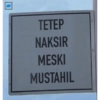
TETEP NAKSIR @convonf MESKI MUSTAHIL
-

tetap tersenyoem
-
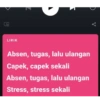
O. LIRIK Z Absen, tugas, lalu ulangan Capek, capek sekali Absen, tugas, lalu ulangan Stress, stress sekali ge
-

-

@linou emang agak babi dunia ini 00.11 29/10/18 Twitter for iPhone 22
-
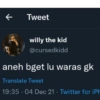
7 Tweet willy the kid @cursedkidd aneh bget lu waras gk Translate Tweet 19:35 04 Dec 21 · Twitter for iPh
-

maaf sdg stress
-

gasalah sih, tapi gue mau ribut sama lo
-
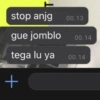
stop anjg gue jomblo tega lu ya + 00.13 00.14 00.14
-
Wkwkwk tetap santai walau jiwa terbantai Yesterday, 15:49
-
diaz @cchantimee Replying to @subtanyarl canda canda, gue gampar lu anjing Translate Tweet 23:21 29 Jan 21 Twitter for Android 331 Retweets 12 Quote Tweets 2,178 Likes
-

Semarang Sambat @sambatondes ક perlu digaris bawahi bahwa hidup tidak semudah cocote fiersa besari. Translate Tweet 6:00 pm - 20 Nov 21 Twitter for Android
-
willy the kid @cursedkidd ketikan org tlol Translate Tweet 20.27-31/01/22 Twitter for iPhone
-

Ra @firdarwt ngomong apasih si munafik ini 20.40 21/09/21 Twitter for Android
-
Kalau postinganku ada yang bikin kamu sakit hati bilang aja ya Biar aku posting lagi C
-
Geonvomis cowo fiksi coworl
-

Manjiro @mikeysano gue udah ngga bisa bilang apa-apa lagi selain ya allah 8.01 AM 19/07/21 Twitter for Android
-

yuvaaa @perihaltumbuh Membalas @convomfs keliatan mana yang berakhlak mana yang engga Terjemahkan Tweet 22:54 26 Feb 22 Twitter for Android E
Download and Install on WhatsApp
The Sticker Maker app is necessary to install this sticker pack on your WhatsApp. If you don't have it, download it from: Google Play Store and App Store. Once you have it on your phone, follow these instructions:
- Download the sticker file we provide below (it has the .wastickers extension). Locate the downloaded file on your mobile and tap it. Your device will ask you which application you want to open it with; select Sticker Maker. The app will automatically recognize the file as a new sticker pack.
- Once you see the pack inside Sticker Maker, just press the button that says "Add to My Library", then "Add to WhatsApp" and that's it! Your new stickers will be available for use in all your WhatsApp conversations.
Installation on WhatsApp with Sticker.ly
An easy way to add this pack is through the Sticker.ly app. If you don't have it yet, download it from: Google Play Store and App Store. Then choose one of these two simple methods:
- With Direct Link: Simply tap this link to the pack YC6K4G. If you have Sticker.ly installed, you will immediately see the stickers in the app.
- Using the Pack Code: If you prefer, you can copy the "pack code" by tapping here: and paste it into the search bar inside the Sticker.ly app.
Once inside Sticker.ly, confirm the action by tapping "Add to WhatsApp" and the stickers will be instantly sent to your WhatsApp app.
Use on Telegram
For Telegram users, installing a sticker pack is a native and extremely simple process. Just follow this link that will take you to Telegram: stickerly_YC6K4G_by_stickerly_official_bot. When the app opens, you will instantly see the pack and can add it to your library, without the need for third-party apps.