Shitposting
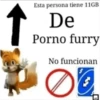
📦 Wild mix of Dragon Ball, Superman, and cartoon memes for chaotic chats and unfiltered reactions. Send when the group chat goes off the rails, you need a roast, a thumbs-up, or a completely random anime threat. The 'Shitposting' pack includes 9 stickers with great variety. Free download to install on WhatsApp. These stickers contain phrases in Spanish.
-
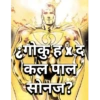
🦸 Golden Goku Superman
Golden Superman-like figure with Hindi text mixing Goku and Kal-El. Use for a random crossover shitpost nobody asked for.
-
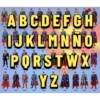
🦸 Superman Alphabet
Dozens of Superman suits hidden under a giant Spanish alphabet. When you go through options from A to Ñ to Z.
-
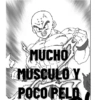
💪 Much Muscle, Little Hair
Buff bald Krillin screaming that he has muscle, not hair. Gym flex, bald joke, or calling someone ripped.
-

👴 Tasty Old Man
Master Roshi posing with his staff as a thirsty old man. Cursed compliment for an older person in chat.
-

😬 That's Horrible XD
Long-haired Saiyan form roasting itself as horrible XD. Roast a look, idea, or anything painfully bad.
-

🔫 Grinning Gun Kid
Smug cartoon boy aiming a pistol right at the camera. Silent threat, joke intimidation, or chaotic energy.
-

🔫 Goku Points a Gun
Red-haired Goku aiming a handgun with a fierce glare. Escalate a meme fight or force someone to reply.
-

👍 That's Very Good
Goku smiling with a big thumbs-up of pure approval. Greenlight a plan, a joke, or something that slaps.
-
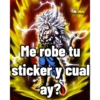
😈 Stole It, So What?
White-haired ultra Goku bragging he stole your meme. Clap back if they say you copied their meme.
Download and Install on WhatsApp
The Sticker Maker app is necessary to install this sticker pack on your WhatsApp. If you don't have it, download it from: Google Play Store and App Store. Once you have it on your phone, follow these instructions:
- Download the sticker file we provide below (it has the .wastickers extension). Locate the downloaded file on your mobile and tap it. Your device will ask you which application you want to open it with; select Sticker Maker. The app will automatically recognize the file as a new sticker pack.
- Once you see the pack inside Sticker Maker, just press the button that says "Add to My Library", then "Add to WhatsApp" and that's it! Your new stickers will be available for use in all your WhatsApp conversations.
Installation on WhatsApp with Sticker.ly
An easy way to add this pack is through the Sticker.ly app. If you don't have it yet, download it from: Google Play Store and App Store. Then choose one of these two simple methods:
- With Direct Link: Simply tap this link to the pack INF40B. If you have Sticker.ly installed, you will immediately see the stickers in the app.
- Using the Pack Code: If you prefer, you can copy the "pack code" by tapping here: and paste it into the search bar inside the Sticker.ly app.
Once inside Sticker.ly, confirm the action by tapping "Add to WhatsApp" and the stickers will be instantly sent to your WhatsApp app.