

VaporXpress
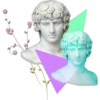
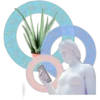
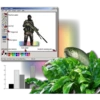
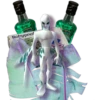
📦 The 'VaporXpress' pack includes 30 stickers easy to install. Free download to install on WhatsApp.
-
-
o melaran
-

)) SHOOTING
-
untitled-Paint T View Image Colors b Free-form select Line Tool 0 Polygon tool Tool options Left button color selection Color palate For Help, dick Help Topics on the Help Menu 60,191 Handle for adusting size
-

442 adical
-

FASCINATION
-
Rohypno aze In 18
-
-

I aloewave is alive and well
-

PI Terenu ツヅケル CONTINUE- -SAVE- ヤリナオス RETRY- オワル w*****
-

Google DISCOvery CHANEL 121 PP #21 Hal i
-

-
-

120
-

FIJI From the islands of FIJI FI NATURAL ARTESIAN WATER
-
-
FIJE FIJI FIJI FIJI MTESANS
-
-
-
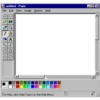
untitled - Paint File Edit View Image Options Help D P BA ROAA~NO OD Α For Help, click Help Topics on the Help Menu. Ha
-
Prane: 130.8 Fra 14 Delay WELCOME! Fra 15 Delay10.03
-

R SPEED LIMIT 69 HI-CHEW
-
Screen Shot 2014-06-28 a 62 % 400x400 px 55 % 68 % work in progress 470x473 px 1920x1440 px i
-
-

adidas
-
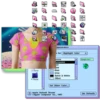
Z Theme P Theme ppearance s for Highlight Color Green urquoise ed nk Blue Gray Balck & White Other Set Other Color... Apple Default Theme Apple Computer Inc., 1995 Sample text Use Defaults
-

-
How does Windows 95 connect to the Internet?
-
-

士
Download and Install on WhatsApp
The Sticker Maker app is necessary to install this sticker pack on your WhatsApp. If you don't have it, download it from: Google Play Store and App Store. Once you have it on your phone, follow these instructions:
- Download the sticker file we provide below (it has the .wastickers extension). Locate the downloaded file on your mobile and tap it. Your device will ask you which application you want to open it with; select Sticker Maker. The app will automatically recognize the file as a new sticker pack.
- Once you see the pack inside Sticker Maker, just press the button that says "Add to My Library", then "Add to WhatsApp" and that's it! Your new stickers will be available for use in all your WhatsApp conversations.























