Licencias de Flork 😎💳✨
📦 The 'Licencias de Flork 😎💳✨' pack includes 30 stickers for any conversation. Free download to install on WhatsApp. These stickers contain phrases in Spanish.
-
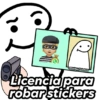
@Harley Stickers Licencia para robar stickers
-

@Haricy Stickers Licencia para criticar
-
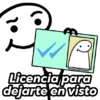
@Harley Stickers Licencia para dejarte en visto
-
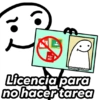
PDF @Haricy Stickers Licencia para no hacertarea
-

@Haricy Stickers Licencia para hacer drama
-
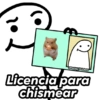
@Haricy Stickers Licencia para chismear
-
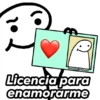
@Haricy Stickers Licencia para enamorarme
-
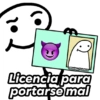
@Harley Stickers Licencia para portarse mal
-

M @Harley Stickers Licencia para besarte
-

@Harley Stickers Licencia para responder tarde
-

@Harley Stickers Licencia para ser cursi
-

@Harley Stickers Licencia para abrazarte
-

Se eliminó esto mensaje @Harley Stickers Licencia para borrar mensajes
-

fup POLAR @Harley-Stickers Licencia para tomar
-

zoom @Harley-Stickers Licencia para no entrar a clases
-

@Harley-Stickers Licencia para estar horny
-
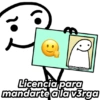
@Harley-Stickers Licencia para mandarte a la v3rga
-
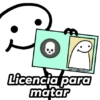
Po @Harley Stickers Licencia para matar
-

OKAY? OKAY. @Harley Stickers Licencia para dar mi opinión
-
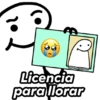
@Harley-Stickers Licencia para llorar
-

@Harley-Stickers Licencia para comentar sin que me pregunten
-

@Haricy Stickers Licencia para burlarme
-
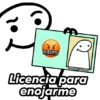
&$!#% @Haricy Stickers Licencia para enojarme
-
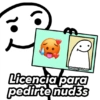
@Haricy Stickers Licencia para pedirte nud3s
-
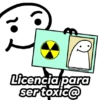
@Harley Stickers Licencia para ser toxic@
-
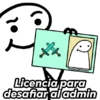
☆ Licencia para desafiar al admin @Harley Stickers
-

GAMES @Haricy Stickers Licencia para jugar
-

All WOR VER Be INTRO VIP MEMBER ✔ 412 bz2 poms @Haricy Stickers Licencia para hacer lo que quiera
-
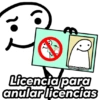
TE @Harley-Stickers Licencia para anular licencias
-
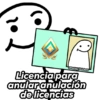
@Haricy Stickers Licencia para anularanulación de licencias
Download and Install on WhatsApp
The Sticker Maker app is necessary to install this sticker pack on your WhatsApp. If you don't have it, download it from: Google Play Store and App Store. Once you have it on your phone, follow these instructions:
- Download the sticker file we provide below (it has the .wastickers extension). Locate the downloaded file on your mobile and tap it. Your device will ask you which application you want to open it with; select Sticker Maker. The app will automatically recognize the file as a new sticker pack.
- Once you see the pack inside Sticker Maker, just press the button that says "Add to My Library", then "Add to WhatsApp" and that's it! Your new stickers will be available for use in all your WhatsApp conversations.
Installation on WhatsApp with Sticker.ly
An easy way to add this pack is through the Sticker.ly app. If you don't have it yet, download it from: Google Play Store and App Store. Then choose one of these two simple methods:
- With Direct Link: Simply tap this link to the pack NS1PNW. If you have Sticker.ly installed, you will immediately see the stickers in the app.
- Using the Pack Code: If you prefer, you can copy the "pack code" by tapping here: and paste it into the search bar inside the Sticker.ly app.
Once inside Sticker.ly, confirm the action by tapping "Add to WhatsApp" and the stickers will be instantly sent to your WhatsApp app.
Use on Telegram
For Telegram users, installing a sticker pack is a native and extremely simple process. Just follow this link that will take you to Telegram: stickerly_NS1PNW_by_stickerly_official_bot. When the app opens, you will instantly see the pack and can add it to your library, without the need for third-party apps.