

Kashmiri
📦 The 'Kashmiri' pack includes 30 stickers for any conversation. Free download to install on WhatsApp.
-

Maidass Gov Khaber Kya
-

ye chuv kharab gomut
-

hwind m Pozz chuka wanan
-

NEAR KHYA MAYNI WARAI
-

55°4 7 M 10.5% CHE CHI MAGZAN TASS AMUT
-

MA KHECX NINDER WAIN
-

APUZ! TALA KASAM HAAV
-

MYA CHHA GREAN
-

WALA GAME GINDO
-

KUS BALAI GOV MA AGAADI... VANCOUVE
-

BOI HA GOV KALLE
-

BE HYAMAI WAIN WADDUN
-

TALA YOKUN WECH
-
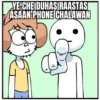
YE CHE DUHASIRAASTAS ASAAN PHONE CHALAWAN
-

GUNAH PANIN TI AMAAL-E-BAAAD
-

BEYI BOZNAAV KYA CHUK KARAAN
-

MYA MAKLYOV NET PACK
-
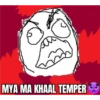
MYA MA KHAAL TEMPER
-

ha ha ha ha rly ha
-

STEM CELL RESEARCH LAB HATA WANAN KAME KATHE CHUK CHE
-

BOI CHUK NA
-

CHE KORTHAS BE PARESHAAN
-

YE CHA SARII CHAEN GALTII
-

TENSION GOVUM SAHII
-

HATA MYA KATI CHA PATA
-

MYA AAW WAIN CHAKKAR
-

Stickerly WAIN CHUK NE SAMKHAAN TI KEHIN CHE GAYII WAIN MASHTII
-

MYA TRAW RECHARGE
-

men TALA LATAV
-

CHE KYAZI KHOTUK WADNASS
Download and Install on WhatsApp
The Sticker Maker app is necessary to install this sticker pack on your WhatsApp. If you don't have it, download it from: Google Play Store and App Store. Once you have it on your phone, follow these instructions:
- Download the sticker file we provide below (it has the .wastickers extension). Locate the downloaded file on your mobile and tap it. Your device will ask you which application you want to open it with; select Sticker Maker. The app will automatically recognize the file as a new sticker pack.
- Once you see the pack inside Sticker Maker, just press the button that says "Add to My Library", then "Add to WhatsApp" and that's it! Your new stickers will be available for use in all your WhatsApp conversations.
Installation on WhatsApp with Sticker.ly
An easy way to add this pack is through the Sticker.ly app. If you don't have it yet, download it from: Google Play Store and App Store. Then choose one of these two simple methods:
- With Direct Link: Simply tap this link to the pack T6L9M5. If you have Sticker.ly installed, you will immediately see the stickers in the app.
- Using the Pack Code: If you prefer, you can copy the "pack code" by tapping here: and paste it into the search bar inside the Sticker.ly app.
Once inside Sticker.ly, confirm the action by tapping "Add to WhatsApp" and the stickers will be instantly sent to your WhatsApp app.
Use on Telegram
For Telegram users, installing a sticker pack is a native and extremely simple process. Just follow this link that will take you to Telegram: stickerly_T6L9M5_by_stickerly_official_bot. When the app opens, you will instantly see the pack and can add it to your library, without the need for third-party apps.























