

Capibara Mood 😎🤙🏻
📦 The 'Capibara Mood 😎🤙🏻' pack includes 15 stickers fun and expressive. Free download to install on WhatsApp.
-

❤️ Water heart
Two swimming capybaras forming a heart with their bodies. Sending love, a hug, or best-friend energy.
-

😴 Fast asleep
Capybara napping with a blissed-out sleepy face. Tired, napping, or completely checked out.
-

😋 Happy munch
Baby capybara blissfully chewing a long blade of grass. Enjoying a snack or life's simple little joys.
-

🍷 Fine wine
Dapper painted capybara in a suit holding red wine. Feeling fancy, toasting, or being extra classy.
-
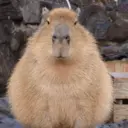
🟤 Round loaf
Extra fluffy, perfectly round capybara sitting still. When you are just existing as a cozy blob.
-

🔫 Don't move
Capybara meme with a pistol pointed straight at you. Joke threat when you want a fast honest answer.
-
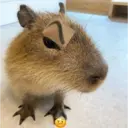
😒 Smug unibrow
Capybara with a fake unibrow looking totally unimpressed. When a story sounds fake and you are not buying it.
-
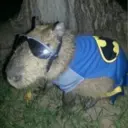
🦇 Night hero
Capybara in a Batman cape, logo, and shiny goggles. Feeling heroic, ready for action, or extra extra.
-
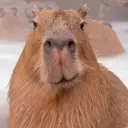
👀 Big stare
Close-up of a wet capybara staring right at you. A silent hello or a playful staring contest.
-
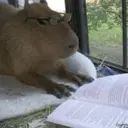
🤓 Bookworm
Bespectacled capybara reading a book by the window. Studying, reading, or pretending to be smart.
-

🙄 Quiet side-eye
Small golden capybara sitting and looking away. Silently judging or not in the mood to talk.
-

💻 Keyboard time
Capybara at a desk typing on a computer keyboard. Working, browsing, or stuck in front of a screen.
-
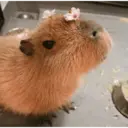
🌸 Flower crown
Cute capybara wearing tiny pink blossoms on its head. Feeling pretty, sweet, or extra wholesome.
-

🔪 Watch your back
One capybara rides another while holding a knife. Playful betrayal or chaotic friend energy.
-

🍊 Orange hat
Capybara soaking with an orange balanced on its head. Peak chill, spa day, or unbothered energy.
Download and Install on WhatsApp
The Sticker Maker app is necessary to install this sticker pack on your WhatsApp. If you don't have it, download it from: Google Play Store and App Store. Once you have it on your phone, follow these instructions:
- Download the sticker file we provide below (it has the .wastickers extension). Locate the downloaded file on your mobile and tap it. Your device will ask you which application you want to open it with; select Sticker Maker. The app will automatically recognize the file as a new sticker pack.
- Once you see the pack inside Sticker Maker, just press the button that says "Add to My Library", then "Add to WhatsApp" and that's it! Your new stickers will be available for use in all your WhatsApp conversations.























