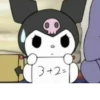
📦 The 'Whatsapp' pack includes 30 stickers freshly updated. Free download to install on WhatsApp. These stickers contain phrases in Hindi.
-

itna overacting kon karta hai!
-

Chup kar chote pokemon
-
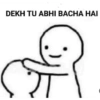
DEKH TU ABHI BACHA HAI
-
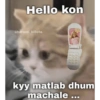
Hello kon @harami_billota LEDE kyy matlab dhum machale...
-

Kyon nahi aa Rahi neend.! MOUJO PLAYE FELLOW
-

Tera Dimag to Khali hai
-

MOUJO PLAYE FELLOW Kuch toh baat hai mujhme roz zinda uth Jata hoon
-

@sundram.saysss Oh My God! Itna sundar koi kaise ho sakta hai
-

khi khi khi
-

lo karlo baat ham apko good morning kehne aye aur aap abhi tak so rahe he
-

BADMASHI KAREGA TU
-

SWALLOW Tameej Mai reh Beta
-

Aa gya main tumhare dil Mein Rehne Apna dinasour kaha park karu.?
-
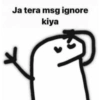
Ja tera msg ignore kiya
-
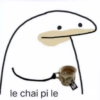
le chai pi le
-
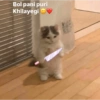
Bol pani puri Khilayegi☺
-

tu to asteen ka sanp nikla
-
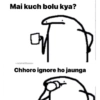
Mai kuch bolu kya? -relatwithyouu Chhoro ignore ho jaunga
-

Merko kya malum
-

Ajeeb log hai problam batao toh "us bro" karne lagte hai
-

Yakin maan bhai... raste mein hu.. bas pohoch hi gaya...! (P)
-

-utpal.rokz wtf behemchomd
-

Mela Babu
-

Helo pulis iss badwe ko yaha se leke ja
-

le ye rakh thnx bolne ki jarurat nhi hai ig:-@relatabal_ladka
-
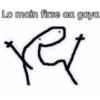
Lo main firse aa gaya ret
-
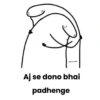
Aj se dono bhai padhenge
-
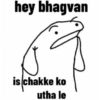
hey bhagvan is chakke ko utha le
-

chup ekdam chup ig-aurbataoo_01
-
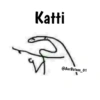
Katti @AurBataoo_01
Download and Install on WhatsApp
The Sticker Maker app is necessary to install this sticker pack on your WhatsApp. If you don't have it, download it from: Google Play Store and App Store. Once you have it on your phone, follow these instructions:
- Download the sticker file we provide below (it has the .wastickers extension). Locate the downloaded file on your mobile and tap it. Your device will ask you which application you want to open it with; select Sticker Maker. The app will automatically recognize the file as a new sticker pack.
- Once you see the pack inside Sticker Maker, just press the button that says "Add to My Library", then "Add to WhatsApp" and that's it! Your new stickers will be available for use in all your WhatsApp conversations.
Installation on WhatsApp with Sticker.ly
An easy way to add this pack is through the Sticker.ly app. If you don't have it yet, download it from: Google Play Store and App Store. Then choose one of these two simple methods:
- With Direct Link: Simply tap this link to the pack 2DS1LK. If you have Sticker.ly installed, you will immediately see the stickers in the app.
- Using the Pack Code: If you prefer, you can copy the "pack code" by tapping here: and paste it into the search bar inside the Sticker.ly app.
Once inside Sticker.ly, confirm the action by tapping "Add to WhatsApp" and the stickers will be instantly sent to your WhatsApp app.
Use on Telegram
For Telegram users, installing a sticker pack is a native and extremely simple process. Just follow this link that will take you to Telegram: stickerly_2DS1LK_by_stickerly_official_bot. When the app opens, you will instantly see the pack and can add it to your library, without the need for third-party apps.