

Kata-kata anomali
📦 The 'Kata-kata anomali' pack includes 20 stickers freshly updated. Free download to install on WhatsApp.
-

stecu stecu
-
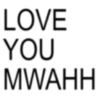
LOVE YOU MWAHH
-
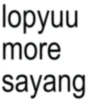
lopyuu more sayang
-

GANTENG BANGET PACARKU
-

langsung to the point aja, kenapa chat princess?
-
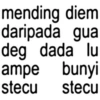
mending daripada diem gua deg dada lu ampe bunyi stecu stecu
-
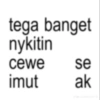
tega banget nykitin cewe se imut ak dre strawberili
-
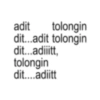
adit tolongin dit...adit tolongin dit...adiiitt, tolongin dit....adiitt
-

yeaaa i'm stecu ((stelan cute girl))
-

they say queen never cry, but i'm a princess
-
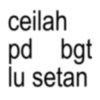
ceilah pd bgt lu setan
-
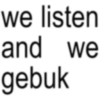
we listen and we gebuk
-
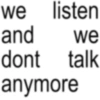
we listen and we dont talk anymore
-

dongo you know dongo?, dongo is oon.
-
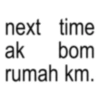
next time ak bom rumah km.
-
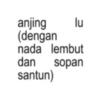
anjing lu (dengan nada lembut dan sopan santun)
-
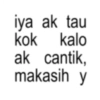
iya ak tau kok kalo ak cantik, makasih y
-
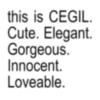
this is CEGIL. Cute. Elegant. Gorgeous. Innocent. Loveable.
-
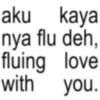
aku kaya nya flu deh, fluing love with you.
-
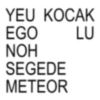
YEU KOCAK EGO NOH SEGEDE METEOR LU
Download and Install on WhatsApp
The Sticker Maker app is necessary to install this sticker pack on your WhatsApp. If you don't have it, download it from: Google Play Store and App Store. Once you have it on your phone, follow these instructions:
- Download the sticker file we provide below (it has the .wastickers extension). Locate the downloaded file on your mobile and tap it. Your device will ask you which application you want to open it with; select Sticker Maker. The app will automatically recognize the file as a new sticker pack.
- Once you see the pack inside Sticker Maker, just press the button that says "Add to My Library", then "Add to WhatsApp" and that's it! Your new stickers will be available for use in all your WhatsApp conversations.
Installation on WhatsApp with Sticker.ly
An easy way to add this pack is through the Sticker.ly app. If you don't have it yet, download it from: Google Play Store and App Store. Then choose one of these two simple methods:
- With Direct Link: Simply tap this link to the pack N24XAL. If you have Sticker.ly installed, you will immediately see the stickers in the app.
- Using the Pack Code: If you prefer, you can copy the "pack code" by tapping here: and paste it into the search bar inside the Sticker.ly app.
Once inside Sticker.ly, confirm the action by tapping "Add to WhatsApp" and the stickers will be instantly sent to your WhatsApp app.
Use on Telegram
For Telegram users, installing a sticker pack is a native and extremely simple process. Just follow this link that will take you to Telegram: stickerly_N24XAL_by_stickerly_official_bot. When the app opens, you will instantly see the pack and can add it to your library, without the need for third-party apps.























