SpongeBob Moods
📦 Classic SpongeBob reactions for every mood: goofy, angry, sad, smug, and extra. Perfect for memes and everyday chats. Send when a cartoon face says it better than words—from awkward silence to rainbow joy. The 'SpongeBob Moods' pack includes 16 stickers you'll love. Free download to install on WhatsApp. These stickers contain phrases in English.
-

😅 Awkward Emo Look
SpongeBob in a tuxedo and emo hair, looking uneasy and out of place. When your look or vibe feels totally off.
-

😠 Angry Fry Cook
SpongeBob marches with a spatula, looking furious in the jungle. When you're done being nice and ready to snap.
-

🤓 Nerd Glasses Grin
Close-up of SpongeBob with thick glasses and a wide friendly smile. When you feel smart, cute, or ready to overexplain.
-

😛 Goofy Tongue Out
SpongeBob sits on the sand with his tongue out, looking silly. When you're being dumb on purpose or just unhinged.
-

😏 Smug in Shorts
SpongeBob in blue drawstring shorts with a pleased, slightly smug face. When you know you look good or just won something petty.
-

😲 Wide-Eyed Shock
SpongeBob sits with huge round eyes, mouth slightly open in shock. When news hits you like a truck and you can't process it.
-
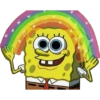
🌈 Imagination Rainbow
SpongeBob smiles under a sparkly rainbow with both hands up. When something is wholesome, magical, or extra positive.
-

👉 This You?
SpongeBob in glasses and a sailor hat holds a sign that reads THIS YOU? Call someone out with a meme when they match a vibe too well.
-

🦋 Butterfly Close-up
Extreme close-up of a red butterfly resting on SpongeBob's forehead. When a tiny, beautiful moment lands right on you.
-

🥺 Tearful Puppy Eyes
SpongeBob stares with huge watery eyes and a single tear falling. Begging, guilt-tripping, or showing you are truly sad.
-

😬 Guilty Spatula
Nervous SpongeBob clutches his spatula, looking like he got caught. When you messed up and everyone can see it on your face.
-
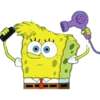
💇 Hair Dryer Time
SpongeBob combs wild yellow hair while holding a purple hair dryer. Getting ready, fixing a bad hair day, or trying too hard.
-

😐 Intense Close-up
Extreme close-up of SpongeBob's huge dark eyes looking dead serious. Staring someone down, judging hard, or being dramatically intense.
-
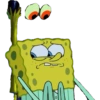
😟 Nervous Look Up
SpongeBob looks up nervously while strange eyes float above him. When something weird is happening and you hope it's not your fault.
-

🖕 The Finger
Annoyed SpongeBob raises his middle finger with a grimace. When you're done being polite and want them to go away.
-
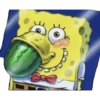
🍉 Watermelon Mouth
SpongeBob stuffed a whole watermelon in his mouth with a huge smile. When you're hungry, extra, or devouring something with zero chill.
Download and Install on WhatsApp
The Sticker Maker app is necessary to install this sticker pack on your WhatsApp. If you don't have it, download it from: Google Play Store and App Store. Once you have it on your phone, follow these instructions:
- Download the sticker file we provide below (it has the .wastickers extension). Locate the downloaded file on your mobile and tap it. Your device will ask you which application you want to open it with; select Sticker Maker. The app will automatically recognize the file as a new sticker pack.
- Once you see the pack inside Sticker Maker, just press the button that says "Add to My Library", then "Add to WhatsApp" and that's it! Your new stickers will be available for use in all your WhatsApp conversations.
Installation on WhatsApp with Sticker.ly
An easy way to add this pack is through the Sticker.ly app. If you don't have it yet, download it from: Google Play Store and App Store. Then choose one of these two simple methods:
- With Direct Link: Simply tap this link to the pack 4KNKNM. If you have Sticker.ly installed, you will immediately see the stickers in the app.
- Using the Pack Code: If you prefer, you can copy the "pack code" by tapping here: and paste it into the search bar inside the Sticker.ly app.
Once inside Sticker.ly, confirm the action by tapping "Add to WhatsApp" and the stickers will be instantly sent to your WhatsApp app.
Use on Telegram
For Telegram users, installing a sticker pack is a native and extremely simple process. Just follow this link that will take you to Telegram: stickerly_4KNKNM_by_stickerly_official_bot. When the app opens, you will instantly see the pack and can add it to your library, without the need for third-party apps.